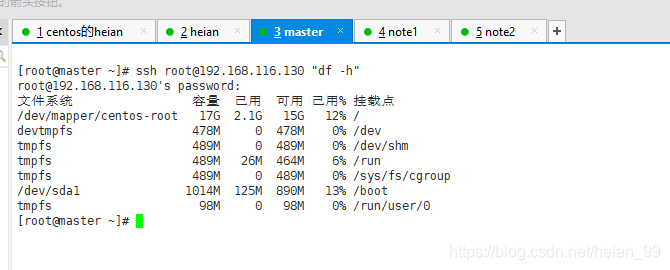
When a task has to be repeated on several machines, logging into each one by hand quickly becomes tedious. A small shell script can loop through a host list, call expect to handle the SSH interaction, and send the same command to every server.
The script relies on expect because SSH may ask for confirmation the first time a host key is seen, and it will normally prompt for a password. With expect, both steps can be answered automatically.
The host list is stored in a file named host.info. Each non-comment line has four fields in this order: IP address, username, SSH port, and password. Lines beginning with # are ignored.
#!/bin/bash
COMMAND=$*
HOST_INFO=host.info
for IP in $(awk '/^[^#]/{print $1}' $HOST_INFO); do
    USER=$(awk -v ip=$IP 'ip==$1{print $2}' $HOST_INFO)
    PORT=$(awk -v ip=$IP 'ip==$1{print $3}' $HOST_INFO)
    PASS=$(awk -v ip=$IP 'ip==$1{print $4}' $HOST_INFO)
    expect -c "
        spawn ssh -p $PORT $USER@$IP
        expect {
            \"(yes/no)\" {send \"yes\r\"; exp_continue}
            \"password:\" {send \"$PASS\r\"; exp_continue}
            \"$USER@*\" {send \"$COMMAND\r exit\r\"; exp_continue}
        }
    "
    echo "-------------------"
done
The COMMAND variable captures everything passed to the script. The loop takes each IP from host.info, then uses awk to pull the matching username, port, and password. Inside expect, the script starts an SSH session with spawn ssh -p $PORT $USER@$IP. It answers the host-key question with yes, supplies the stored password when prompted, and once the remote shell prompt appears, sends the requested command followed by exit. After each host, a separator line is printed.
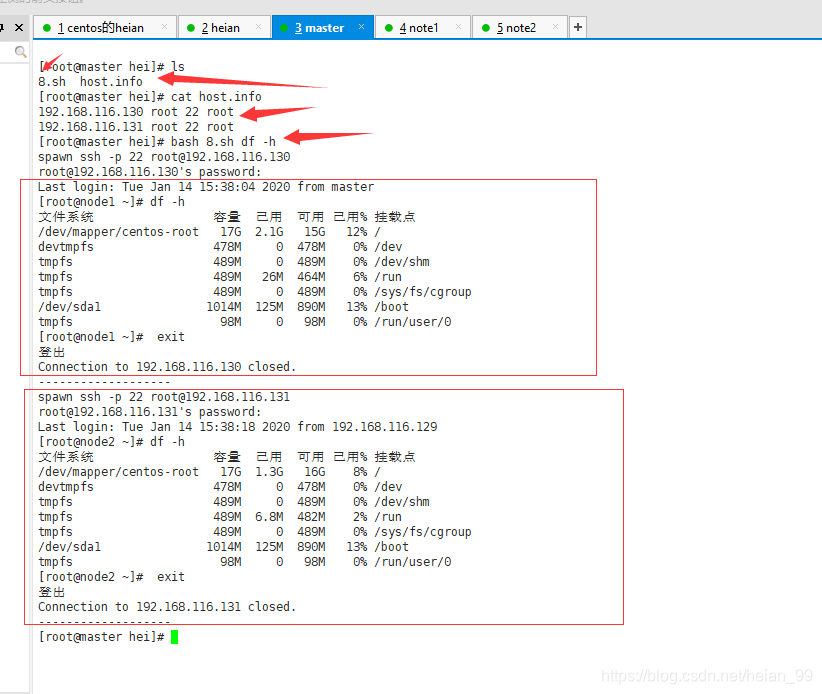
Pass the desired command as arguments when the script is run. Every host in the list will be contacted in turn, and the same command will be run on each one.