I’d already hinted in a few earlier posts that I was thinking about moving my blog. The main site had been running on RackNerd’s cheapest VPS plan, the one that comes in at under $10 a year. For the price, I never expected perfection, but the occasional downtime during traffic spikes was still annoying.
What kept me hesitating was the question of where to move it. I kept going back and forth over which VPS provider to pick, and every so often the same thought would pop into my head: It still works, doesn’t it? Maybe I should just leave it alone. Or wait a bit longer?
Then something happened yesterday that finally pushed me to make the call.
On October 22, 2024, local time in the United States, a fire broke out at the Aon Center building in Los Angeles, where RackNerd is located. Although the fire happened on the 61st floor and did not directly damage RackNerd’s data center on the 4th floor, the building was ordered to shut off power, which caused issues for some servers. The Los Angeles DC-02 server was among the main services affected.
Unluckily, my site was on DC-02. It went completely unreachable for the whole day. The good news was that it was only an indirect impact, so the data was still there. I bought a Bandwagon account yesterday and prepared to start migrating the blog. Once service came back today, I immediately began moving the site files and database.
The site files were straightforward enough. The database, however, ran into a small snag because the backup file was too large.
The issue where Baota only imports part of a database backup usually happens because the data packet being sent during the query exceeds the maximum allowed by MySQL’s max_allowed_packet setting.
- Check the current value:
First, connect to the MySQL server and run the following command to see the current
max_allowed_packetvalue:
SHOW VARIABLES LIKE 'max_allowed_packet';
- Increase the value:
You need to raise
max_allowed_packetenough to handle the data you are sending. For example, if you need a larger packet size, you can set it to 20M(20 megabytes):
SET GLOBAL max_allowed_packet = 20 * 1024 * 1024;
This sets max_allowed_packet to 20MB. You can adjust it as needed.
3. Make the change permanent:
To keep the change after a restart, set max_allowed_packet in your MySQL configuration file, usually my.cnf or my.ini. Find the [mysqld] section and add or modify this line:
max_allowed_packet = 8388608
This uses a byte value (8MB). You can also use 8M or another value you prefer.
4. Restart the MySQL service:
After changing the config file, restart MySQL for the setting to take effect:
sudo systemctl restart mysql
Or use the appropriate command for your system.
After that came the usual cleanup work: directory permissions, SSL certificates, nginx configuration, domain DNS resolution, and a few other details. I won’t go through all of that here. In the end, though, the result turned out well.
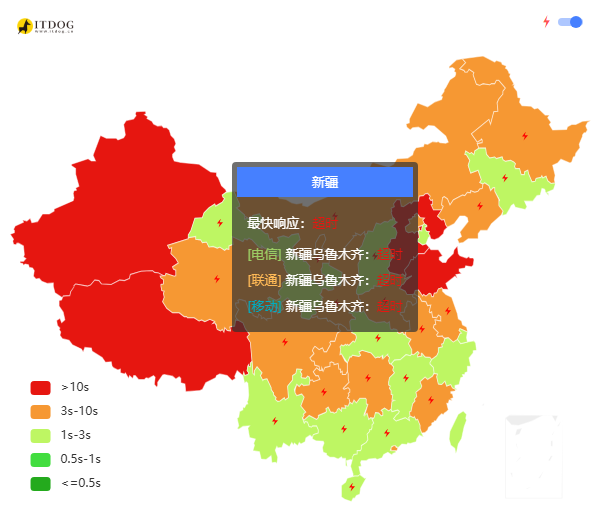
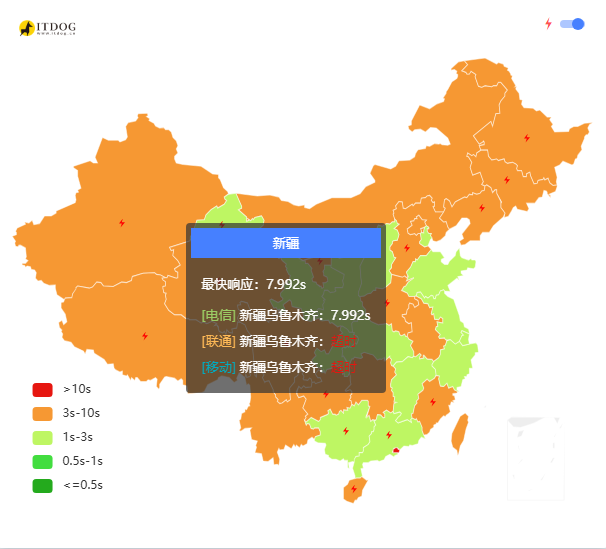
More importantly, from my own use so far, the site really does feel faster. Here’s a comparison.
This was the old site speed:
And this is the current speed:
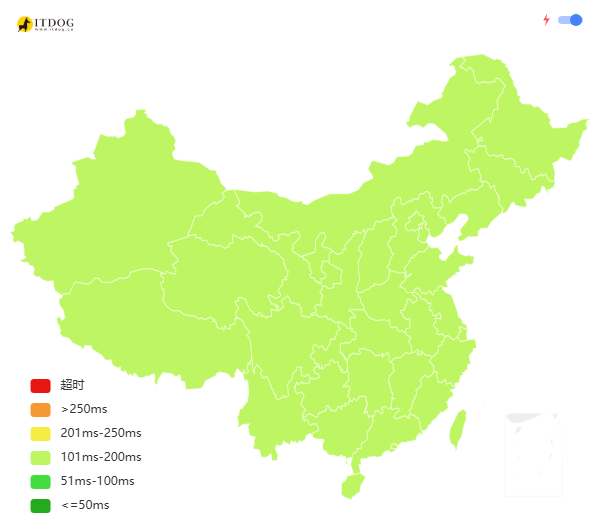
The online ping has also stayed pretty stable, with zero packet loss.
As for the old data, I haven’t cleared it yet. I’ll still renew the RackNerd VPS. It’s inexpensive, and for sites that don’t demand top-tier stability, it’s still usable. Going forward, I plan to sort through the cloud resources I have on hand and keep just two or three providers for long-term use.
And one last reminder, really the most important one: make backups, always.