This blog ran on Typecho for almost three years. It is now a static site built with Eleventy. It also no longer lives on a cloud server I rent myself; it is hosted on Cloudflare/GitHub, which removes one more task from my plate: backups.
Why Eleventy?
I first came across Eleventy on 油油大佬's blog. What caught my attention was how easy it seemed to get started. There was not much to learn, and the documentation was short and practical. At its core, Eleventy reads Markdown files and turns them into semantic HTML documents. You can build templates around those files and reuse them.
Creating the site
The first step was to generate an Eleventy site with no data:
mkdir blog
cd blog
npm init -y
npm install @11ty/eleventy
code .
Next, I opened package.json, edited the scripts section, removed the test entry, and added this line:
"start": eleventy --serve
After saving, I started the local web server from the terminal:
npm run start
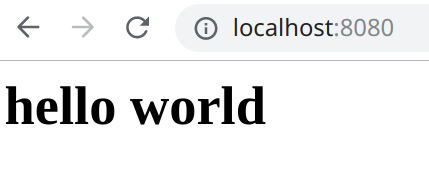
Then I opened http://localhost:8080 in the browser. It showed Cannot GET /. I created a new file named index.md in the root directory and put this inside:
# hello world
I refreshed the browser. When the page appeared, I knew things were working:
I then created another file in the root directory called eleventy.js. This is an 11ty project configuration file. In the setup below:
- src is the folder for website-related files.
- dist is the folder where the static HTML is output.
- includes is the folder for theme templates.
module.exports = (eleventyConfig) => {
    return {
        dir: {
            input: 'src',
            output: 'dist',
            includes: '_includes'
        },
        markdownTemplateEngine: 'njk'
    }
}
Under the src folder, I added two more folders: _includes and _data. Inside _includes, I created a layouts folder. In layouts, I added a file named base.njk, which serves as a theme template. The _data folder is for data such as navigation.
How do I write posts?
With that structure in place, I added a category folder inside src. In my case it is called blog, and it holds the Markdown posts I write.
---
layout: 'layouts/base.njk' # reference the template
tags: blog
title: 文章名字
data: 日期
---
Final thoughts
That is roughly how Eleventy works. Once everything is set up, uploading the files from the dist directory to Cloudflare/GitHub finishes the job. Why did I not stay with Typecho? The simple reason is that I did not want to pay for a cloud server. Typecho itself is a lightweight, efficient, stable, simple, and friendly blogging program.
Eleventy, though, saves me money and worry. It gives me a fast, lightweight site, and using it has been just as pleasant as using Typecho.