Anyone who has used the Typecho Handsome theme probably knows its built-in “Time Machine” page. It’s a very handy feature: after connecting it with a WeChat public account, you can send short real-time updates straight from WeChat—status posts, moods, photos, locations, even blog-related notes. I tend to think of it more like an instant posting stream.
I had wanted to set this up for a while but never made time for it. Recently I finally dug into it properly, found both the standalone Time Machine page and the WeChat-based setup on GitHub, and spent more than a month testing everything. The result has been solid, and in theory it should work with any Typecho theme, not just Handsome.
I ended up with two practical ways to use it.
1. Use the standalone page and post through someone else’s public account
This is the simpler option. You only need the Typecho Time Machine single-page component. After downloading it, you can install it by following the included instructions, which are already detailed enough that there’s not much to add here. Once that part is done, the page itself is ready to use.
To actually post updates, you bind it after following the designated public account and completing the required steps.
The one important issue I ran into was a verification error. After some trial and error, I found a strange bug in times/Ajax.php, around line 123. The code that retrieves the Time Machine code wasn’t using MD5 encryption, which caused the validation to fail every time. The fix is simple: change the line after
$user_time_code = getTimeCode($cid)
to:
md5(getTimeCode($cid))
After that, things work normally.
As for the page design, you’ll probably want to adjust the styling so it matches your own theme. I spent quite a bit of time tweaking the look before it felt consistent with the rest of the site.
2. Run it through your own WeChat public account
If you already have your own public account and want the whole thing under your control, there’s also a dedicated WeChat posting system for the Time Machine feature. Just follow the installation steps provided with that project. Setup is very straightforward—I had the basic structure running in about a minute.
That’s really all you need for a functional Time Machine system.
Other ways to post updates
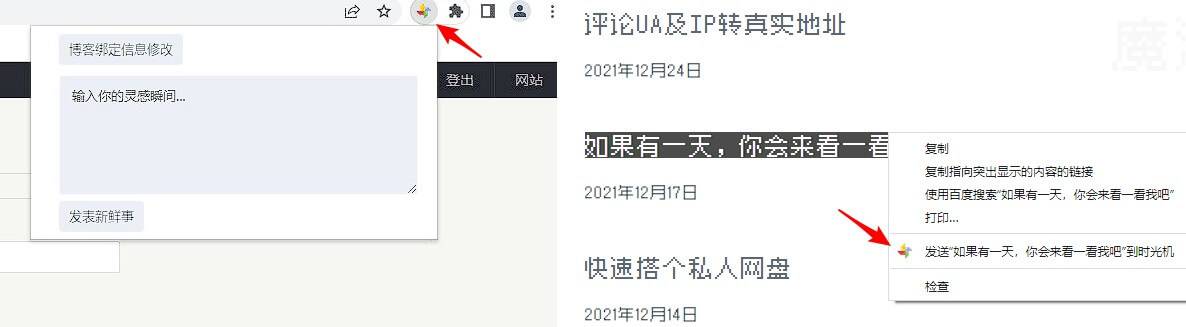
If you previously bought the Handsome theme, there’s also the option of posting through a Chrome extension:
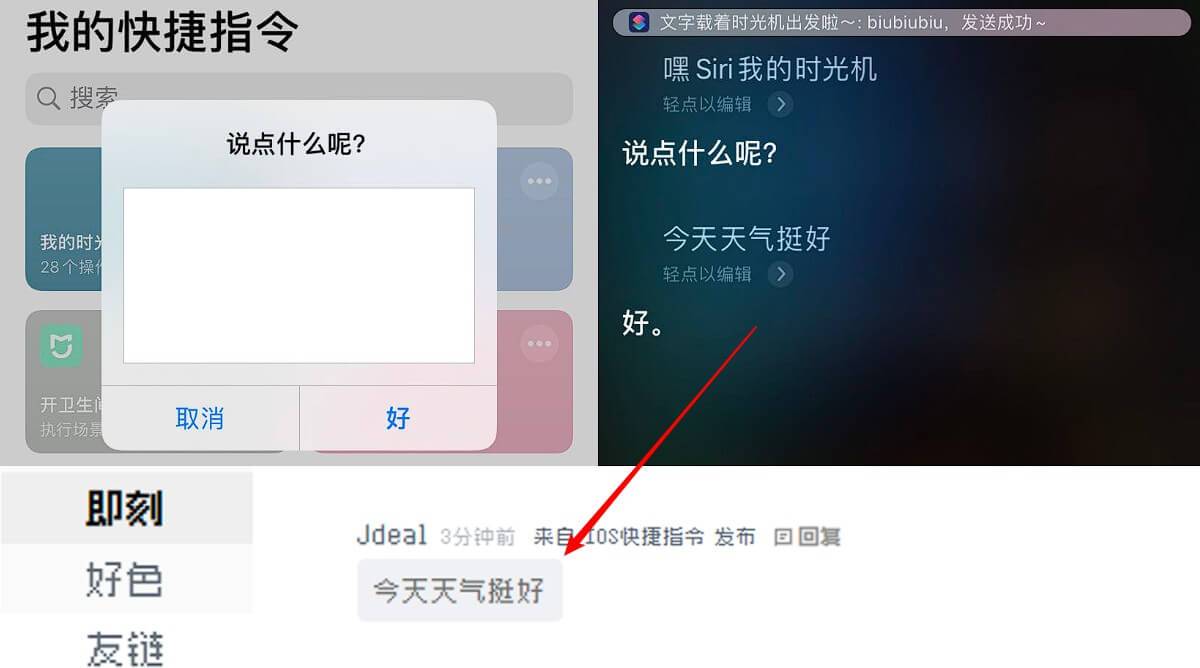
There’s also an iOS Shortcuts approach developed by someone else, which even supports sending by Siri voice command:
There are quite a few ways to play with it.
For day-to-day use, the combination that feels most efficient is:
- Text → Shortcuts
- Images → WeChat public account
That setup is faster and more convenient overall. When you suddenly want to save a thought, an idea, or a photo, you can push it out immediately without logging into the backend or opening the editor.
If you like tinkering, you can also reshape the whole thing however you want—layout, styling, and even the workflow can all be adapted to your own needs.