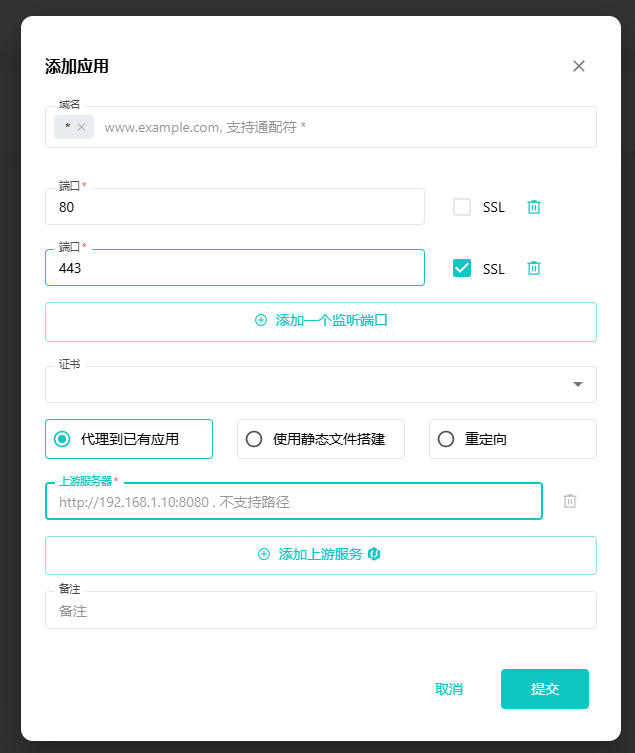
When SafeLine is deployed on a server that already has aaPanel and Nginx installed, a port conflict on 80 is a common problem.
SafeLine already includes Tengine and can take over traffic on port 80 by itself. But if Nginx on the same machine is already listening on that port, SafeLine will not be able to bind to it. On a single server, port 80 can only be occupied by one process at a time, so two services cannot listen on it simultaneously.
Change Nginx to a different port
The usual fix is to move Nginx away from port 80 and let SafeLine use it instead. For example, Nginx can be changed to port 8080.
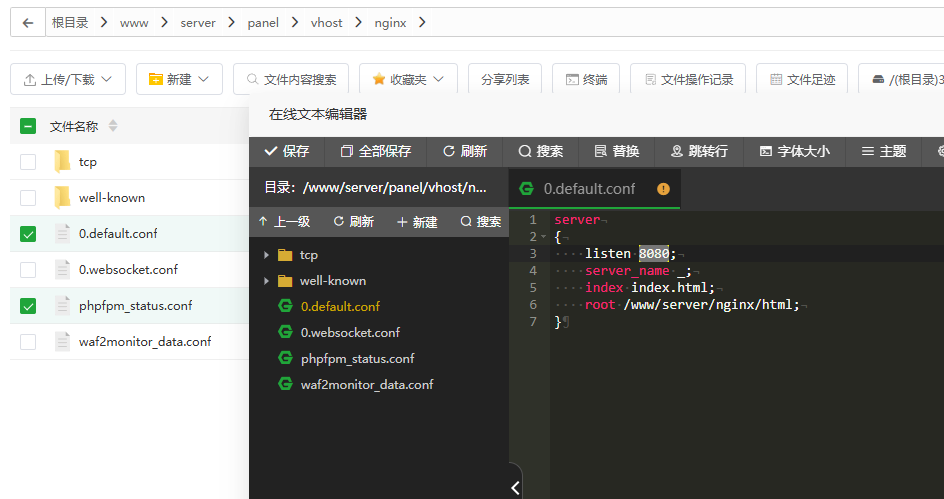
Start by locating the Nginx configuration files. They are typically found in one of these locations:
/etc/nginx/nginx.conf/www/server/panel/vhost/nginx/
Then open these files:
0.default.confphpfpm_status.conf
Find the line below and change it from port 80 to another port such as 8080:
listen 80;
After saving the changes, restart the Nginx service so the new configuration takes effect.
Prevent aaPanel from restoring port 80
Even after editing the configuration manually, aaPanel may regenerate or overwrite site configs during normal site management. When that happens, the listening port can be switched back to 80, causing the same conflict again.
To avoid that, you can use either of these approaches:
- Manually change the listening port for each website inside aaPanel.
- After editing the config files, lock them so aaPanel cannot overwrite them automatically.
If needed, this can be done by setting the files to read-only or by disabling automatic configuration behavior in aaPanel.
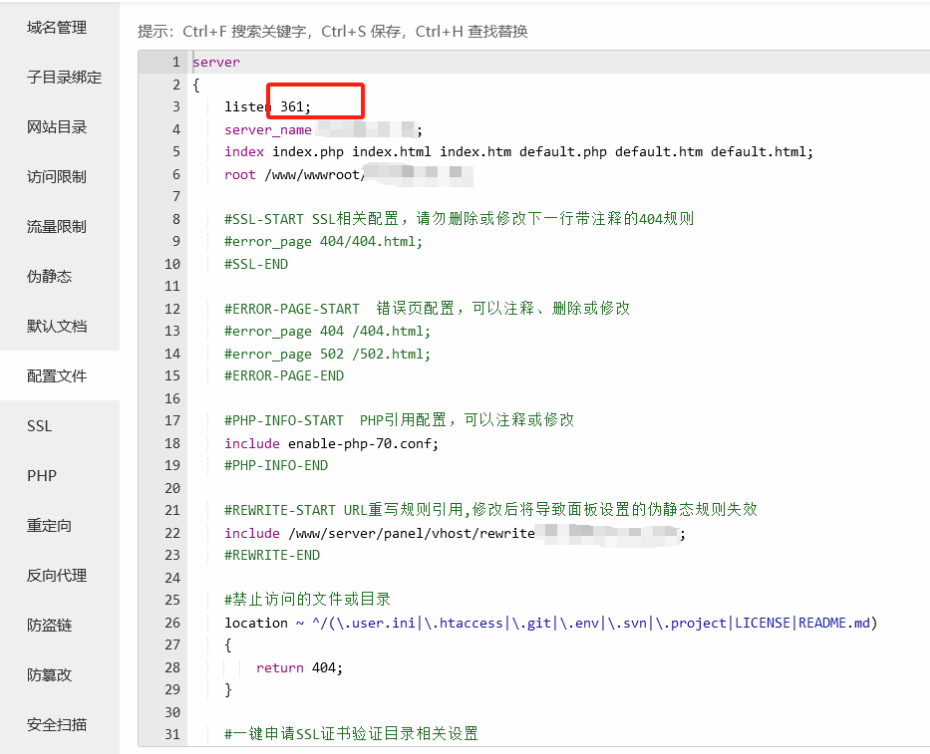
Once Nginx no longer occupies port 80, the conflict is resolved and you can proceed with the SafeLine setup.
For details on how SafeLine works, see: https://waf-ce.chaitin.cn/docs/guide/config