On Ubuntu, the icon shown for a GTK+ application in the launcher can be changed by setting an image on the window. The window icon is set with gtk_window_set_icon, which takes a GdkPixbuf loaded from the image file.
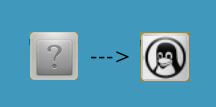
The example below uses a helper to load tux.jpg and report any loading error through GError. After creating the main window, it sets the title, default size, center position, and icon before showing the window.
#include<gtk/gtk.h>

GdkPixbuf *create_pixbuf(const gchar* filename)
{
    GdkPixbuf *pixbuf;
    GError *error = NULL;
    pixbuf = gdk_pixbuf_new_from_file(filename, &error);
    if(!pixbuf) {
        fprintf(stderr, "%s\n", error->message);
        g_error_free(error);
    }
    return pixbuf;
}

int main(int argc,char *argv[])
{
    GtkWidget *window;
    gtk_init(&argc,&argv);

    window=gtk_window_new(GTK_WINDOW_TOPLEVEL);
    gtk_window_set_title(GTK_WINDOW(window),"HELLO GTK");
    gtk_window_set_default_size(GTK_WINDOW(window), 500, 150);
    gtk_window_set_position(GTK_WINDOW(window), GTK_WIN_POS_CENTER);
    gtk_window_set_icon(GTK_WINDOW(window), create_pixbuf("tux.jpg"));     //Change to your image path and name
    gtk_widget_show(window);

    g_signal_connect_swapped(G_OBJECT(window), "destroy", G_CALLBACK(gtk_main_quit), NULL);

    gtk_main();

    return 0;
}
Change the image path and filename passed to create_pixbuf to match the file you want to use.
If the file is saved as hello.c, compile it with:
gcc -o hello hello.c `pkg-config --libs --cflags gtk+-2.0`
Be careful with the backtick character around pkg-config: it is not a single quote. On a typical keyboard, it sits below the Esc key. The command uses command substitution to pass the GTK+ 2.0 compiler and linker flags to gcc.