Why image cleanup becomes necessary
In a CI/CD workflow, frequent builds and deployments continuously produce new image versions. If old images are never removed, they gradually consume a large amount of storage, causing the Harbor registry to grow unnecessarily and potentially affecting overall system performance.
In one current Harbor environment, storage usage has already reached about 1 TB. Many repositories contain hundreds of image tags, and keeping all historical versions is no longer practical. There are two workable cleanup approaches:
- Use Harbor’s built-in image retention policy.
- Use a shell script to call the Harbor API and apply more customized cleanup logic.
Both methods have their own advantages. Harbor’s built-in policy is easier to manage from the web console, while a script gives more flexible control over projects, repositories, and retention counts.
Cleanup goals
The cleanup work mainly serves three purposes:
- Free storage space: remove images that are no longer used and release disk capacity.
- Improve Harbor performance: reduce useless data and help Harbor respond more steadily.
- Simplify maintenance: replace repeated manual cleanup with automated policies or scheduled scripts.
Option 1: Use Harbor’s built-in retention policy
Harbor provides project-level retention policies. These policies can automatically keep or delete images according to predefined rules. The configuration is done per project, so each project that needs cleanup must be configured separately.
The policy supports several common controls:
- Matching rules: match repositories or images using wildcards.
- Retention rules: keep images by recent push or pull count, or by a time range.
- Tag filters: filter images based on tag names, such as keeping tags with a specific prefix.
- Untagged artifact deletion: decide whether untagged artifacts should also be deleted.
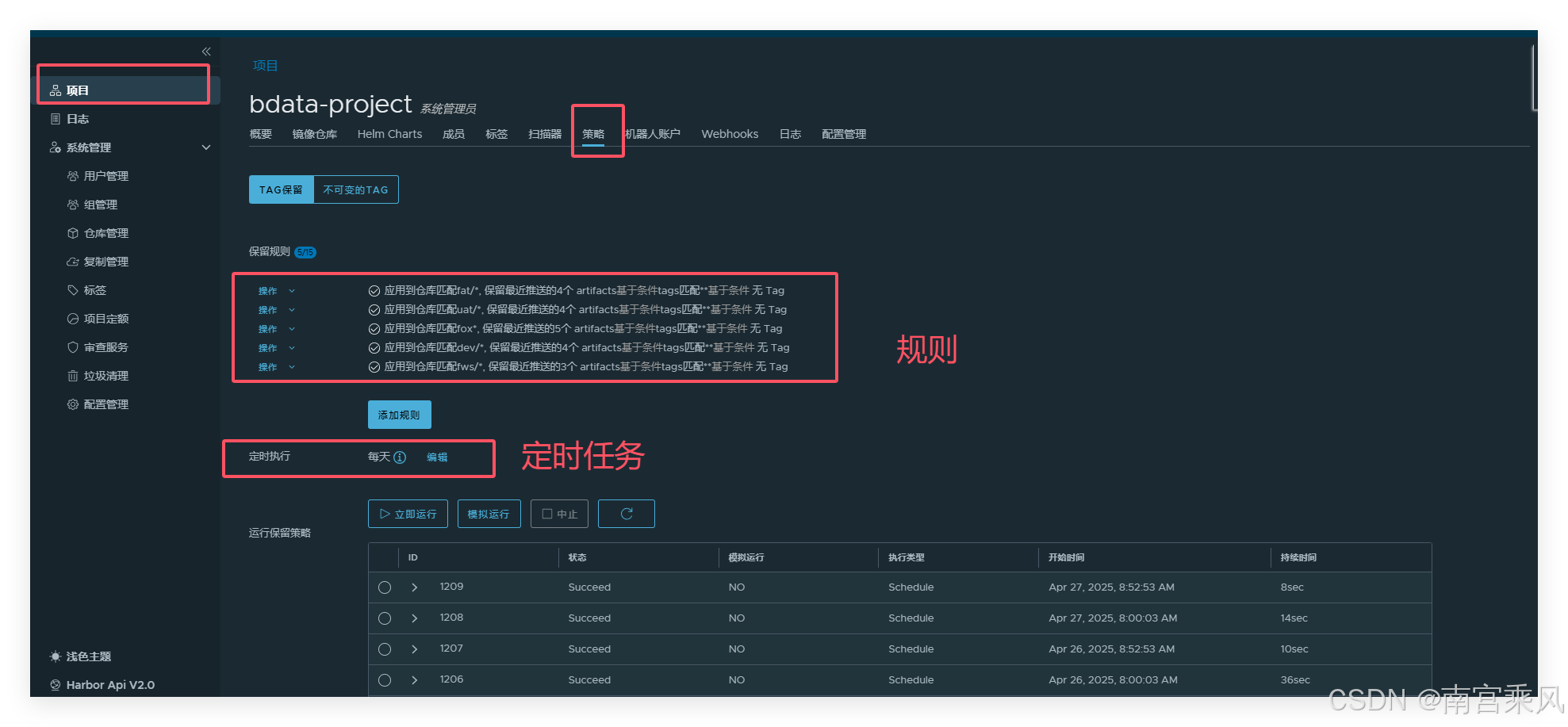
A typical configuration process looks like this:
- Log in to the Harbor web console with an administrator account.
- In the left navigation bar, open Projects, then select the project that needs a cleanup policy.
- Open the policy configuration page and add a retention rule.
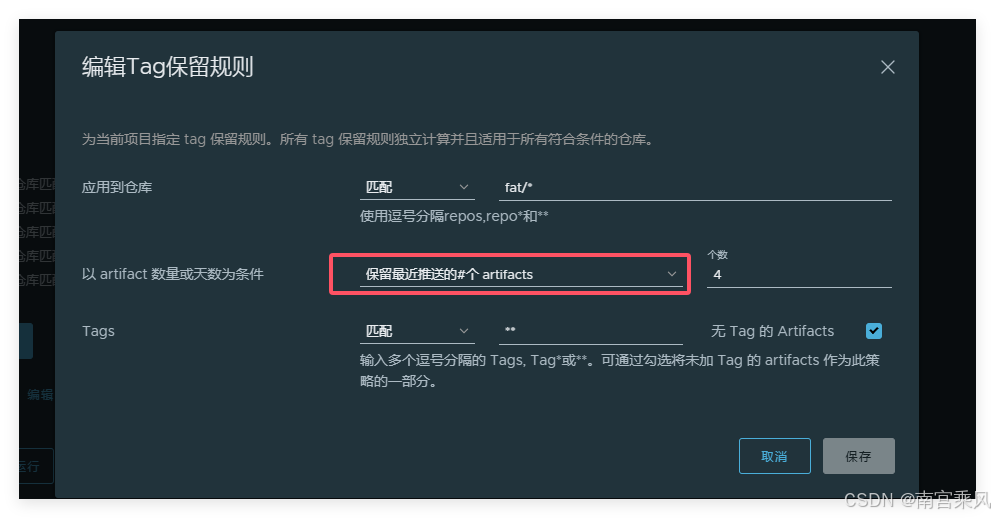
When adding the rule, configure the following fields as needed:
- Rule name: give the policy a recognizable name.
- Repository matching: use wildcards such as
**to match repositories covered by the rule. - Retention rule: choose whether to retain images by the most recent pushes, pulls, or a time range.
- Tag filter: define tag-matching rules, for example retaining tags that start with
release-. - Delete untagged artifacts: decide whether untagged images should be cleaned as well.
After the rule is created, configure the execution schedule. Harbor uses UTC time, so the configured time must be converted against the local timezone. For example, the following schedule runs every Saturday at 00:00 UTC:
0 0 0 ? * SAT
For a China timezone environment, that means the actual execution time is Saturday at 08:00.
If immediate cleanup is needed, the policy can also be triggered manually by clicking Run Now on the policy page.
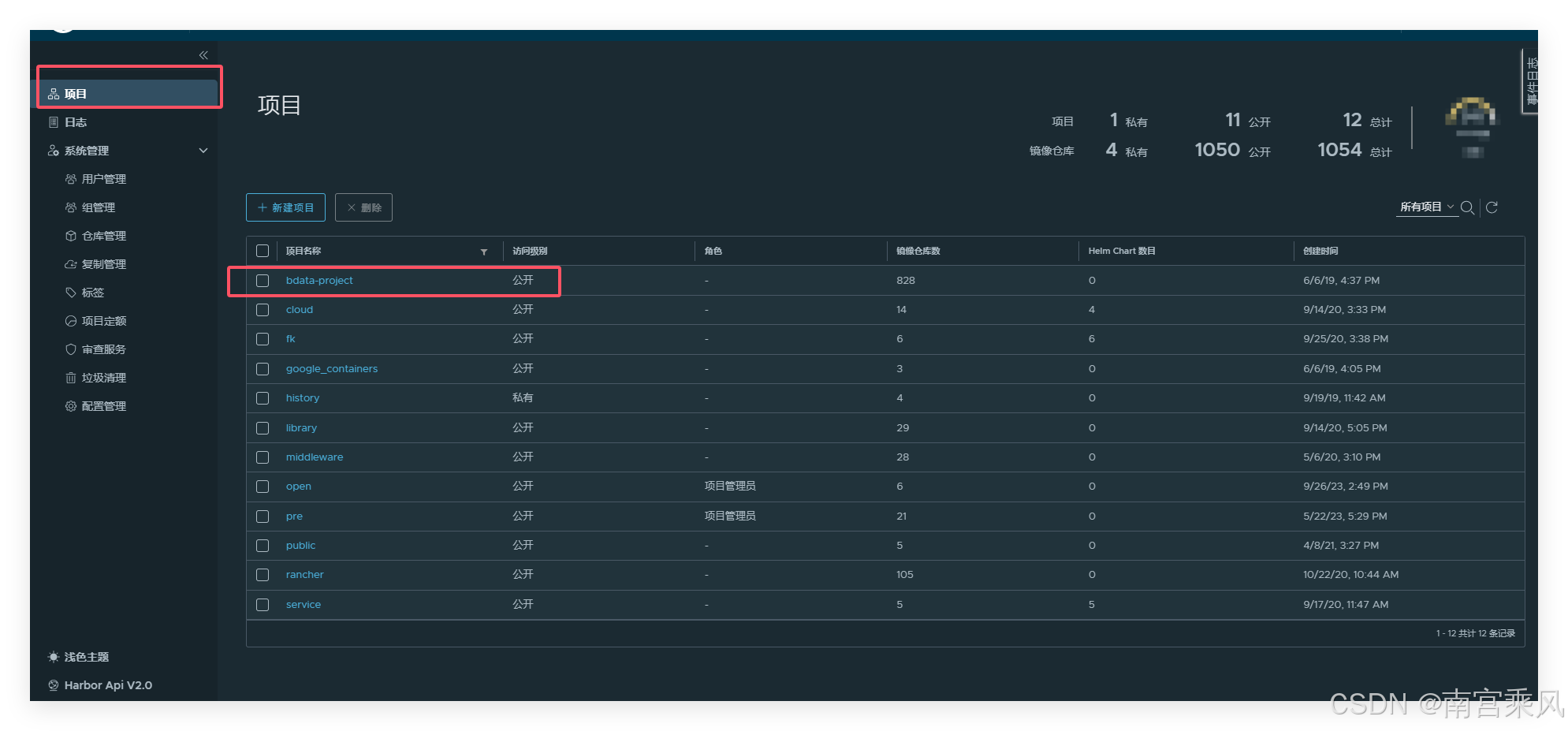
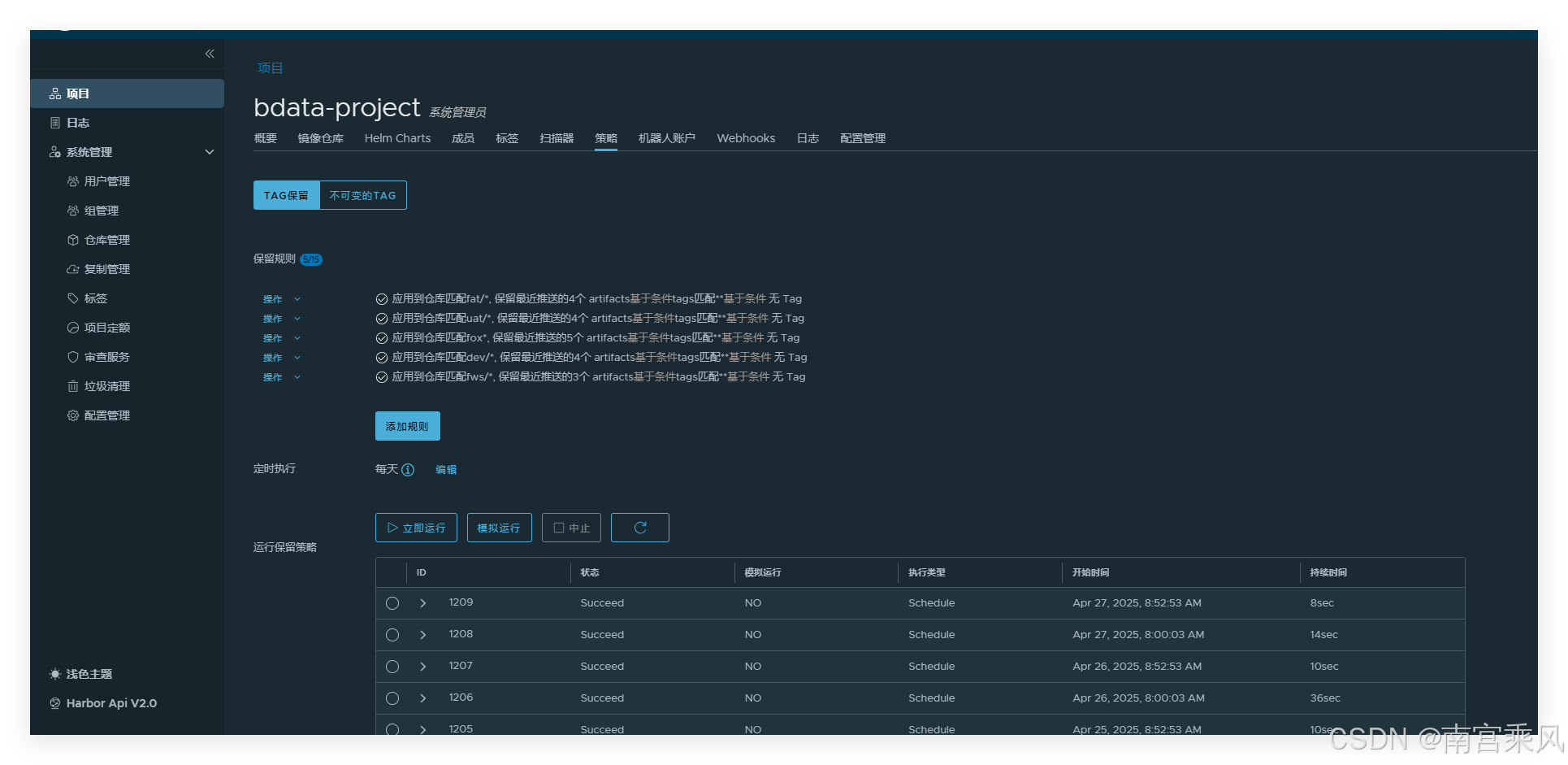
Option 2: Clean images with a shell script
For scenarios that need more direct control, a shell script can be used to query projects and repositories through the Harbor API, then delete older artifacts while keeping a fixed number of recent images.
The following script targets specified projects and keeps the latest configured number of artifacts for each repository.
harbor_clean.sh
#!/bin/bash
set -e

# 日志文件配置
LOG_FILE="./harbor_clean.log"
user=$(whoami)

# Harbor配置(请配置账号和密码)
HARBOR_URL="bdata-hub.xxxxx.cn"
HARBOR_USERNAME="admin"
HARBOR_PASSWORD="xxxxxxxxx"
KEEP_NUM=15  # 保留最近的5个镜像

# 指定要清理的项目列表
PROJECTS=("service" "pre")

# 创建临时目录
TMP_DIR="$PWD/harbor_clean_tmp"

# 日志函数
function log_info() {
    content="[INFO] $(date '+%Y-%m-%d %H:%M:%S') $0 $user msg : $@"
    echo $content >>$LOG_FILE
    echo -e "\033[32m${content}\033[0m"
}

function log_warn() {
    content="[WARN] $(date '+%Y-%m-%d %H:%M:%S') $0 $user msg : $@"
    echo $content >>$LOG_FILE
    echo -e "\033[33m${content}\033[0m"
}

function log_err() {
    content="[ERROR] $(date '+%Y-%m-%d %H:%M:%S') $0 $user msg : $@"
    echo $content >>$LOG_FILE
    echo -e "\033[31m${content}\033[0m"
}

# 获取指定项目的仓库列表
function get_repos_list() {
    local project=$1
    log_info "获取项目 ${project} 的仓库列表"

    mkdir -p "$TMP_DIR/repos"

    local repos_list=$(curl -s -k -u "${HARBOR_USERNAME}:${HARBOR_PASSWORD}" \
        "https://${HARBOR_URL}/api/v2.0/projects/${project}/repositories?page=1&page_size=100")

    if [ $? -ne 0 ]; then
        log_err "获取项目 ${project} 的仓库列表失败"
        return 1
    fi

    echo "${repos_list}" | jq '.[]' | jq -r '.name' | awk -F "/" '{print $2}' >"$TMP_DIR/repos/${project}.txt"
    log_info "成功获取项目 ${project} 的仓库列表"
}

# 获取镜像标签列表
function get_tag_list() {
    local project=$1
    local repo=$2
    log_info "获取仓库 ${project}/${repo} 的标签列表"

    mkdir -p "$TMP_DIR/tags/$project/$repo"

    local artifacts=$(curl -s -k -u "${HARBOR_USERNAME}:${HARBOR_PASSWORD}" \
        "https://${HARBOR_URL}/api/v2.0/projects/${project}/repositories/${repo}/artifacts?page=1&page_size=100&with_tag=true&with_label=false&with_scan_overview=false&with_signature=false&with_immutable_status=false")

    if [ $? -ne 0 ]; then
        log_err "获取仓库 ${project}/${repo} 的标签列表失败"
        return 1
    fi

    echo "${artifacts}" | jq '.[]' | jq -r '.digest' >"$TMP_DIR/tags/$project/$repo/digests.txt"
    log_info "成功获取仓库 ${project}/${repo} 的标签列表"
}

# 删除旧镜像
function delete_images() {
    local project=$1
    local repo=$2
    local digest_file="$TMP_DIR/tags/$project/$repo/digests.txt"

    if [ ! -f "$digest_file" ]; then
        log_warn "仓库 ${project}/${repo} 的标签文件不存在,跳过"
        return
    fi

    local total_num=$(wc -l <"$digest_file")

    if [ $total_num -gt $KEEP_NUM ]; then
        local delete_num=$((total_num - KEEP_NUM))
        log_info "仓库 ${project}/${repo} 有 ${delete_num} 个镜像需要删除"

        tail -n $delete_num "$digest_file" | while read digest; do
            log_info "准备删除镜像: ${project}/${repo}@${digest}"
            curl -X DELETE -s -k -u "${HARBOR_USERNAME}:${HARBOR_PASSWORD}" \
                "https://${HARBOR_URL}/api/v2.0/projects/${project}/repositories/${repo}/artifacts/${digest}"

            if [ $? -eq 0 ]; then
                log_info "成功删除镜像: ${project}/${repo}@${digest}"
            else
                log_err "删除镜像失败: ${project}/${repo}@${digest}"
            fi
        done

        log_info "仓库 ${project}/${repo} 的镜像清理完成"
    else
        log_info "仓库 ${project}/${repo} 的镜像数量未超过保留限制,跳过清理"
    fi
}

# 清理临时文件
function cleanup() {
    log_info "清理临时文件"
    rm -rf "$TMP_DIR"
}

# 主函数
function main() {
    log_info "开始执行Harbor镜像清理脚本"
    mkdir -p "$TMP_DIR"
    trap cleanup EXIT

    # 遍历指定的项目列表
    for project in "${PROJECTS[@]}"; do
        log_info "开始处理项目: ${project}"
        get_repos_list "$project"

        if [ -f "$TMP_DIR/repos/${project}.txt" ]; then
            while read repo; do
                get_tag_list "$project" "$repo"
                delete_images "$project" "$repo"
            done <"$TMP_DIR/repos/${project}.txt"
        else
            log_warn "项目 ${project} 的仓库列表文件不存在"
        fi
    done

    log_info "Harbor镜像清理脚本执行完成"
}

# 执行主函数
main
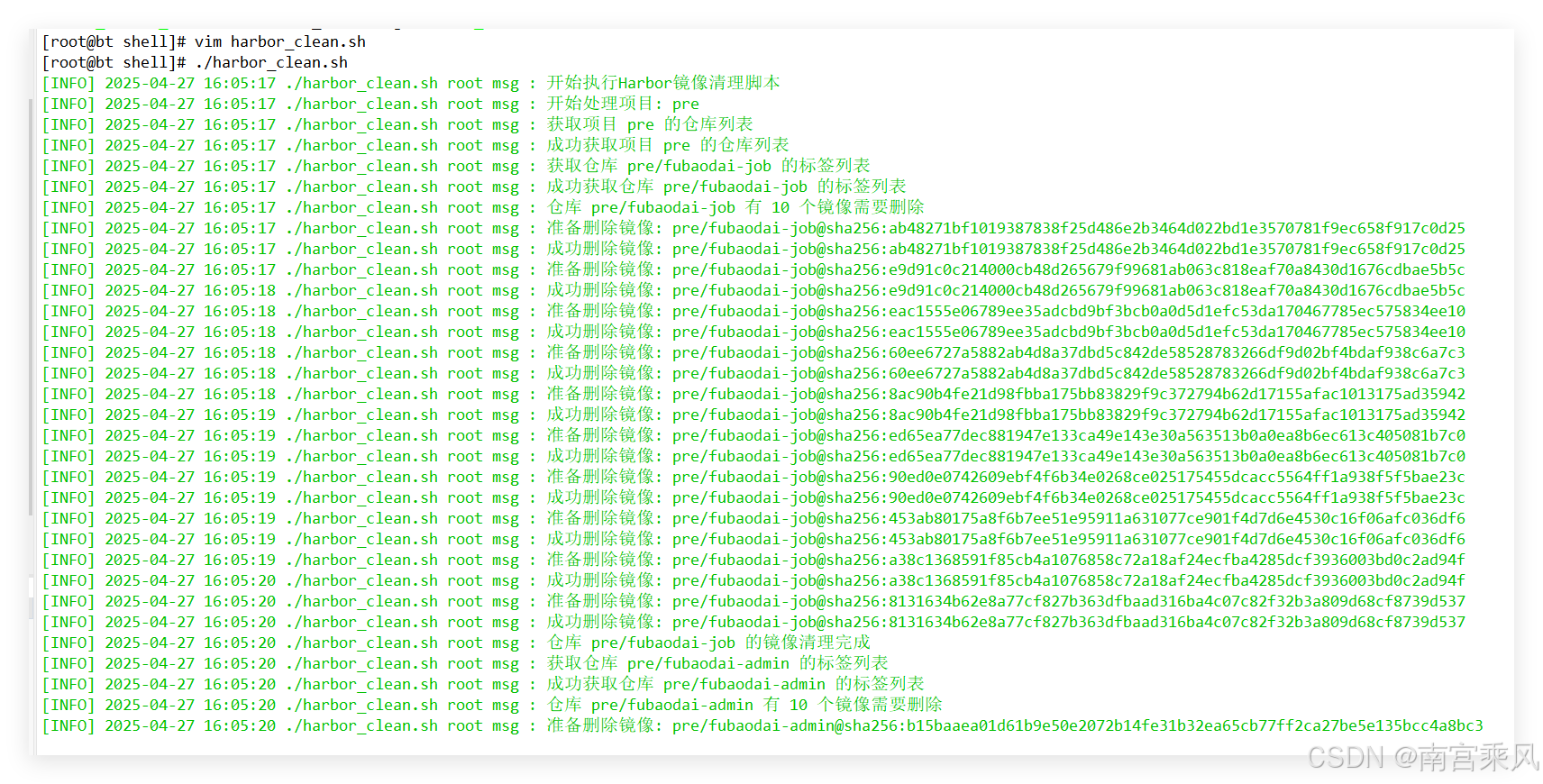
The script can be placed under a scheduled task so cleanup runs automatically. For example:
#定时任务
crontab -e
/bin/bash /root/shell/harbor_clean.sh
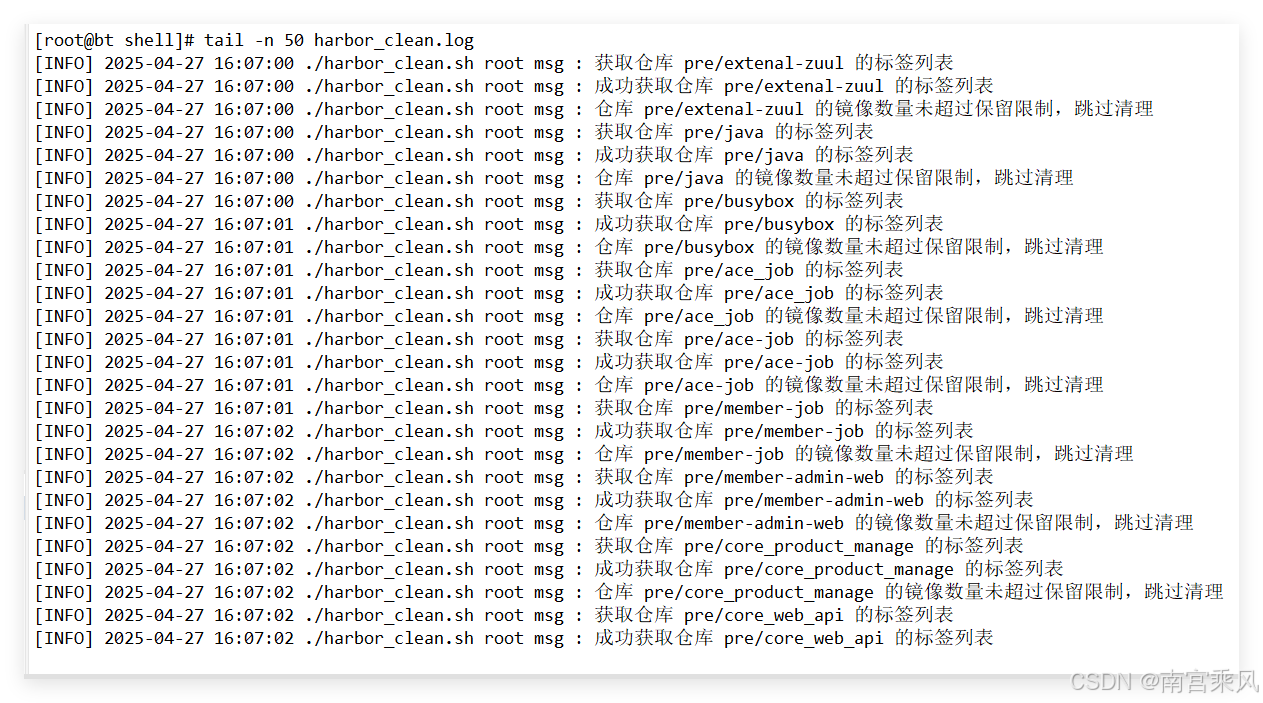
Example run log:
Garbage collection is still required
After a retention policy or API deletion removes images, Harbor deletes the image metadata first. The actual storage space is not necessarily released immediately. To reclaim disk capacity, Harbor garbage collection must be executed.
The steps are straightforward:
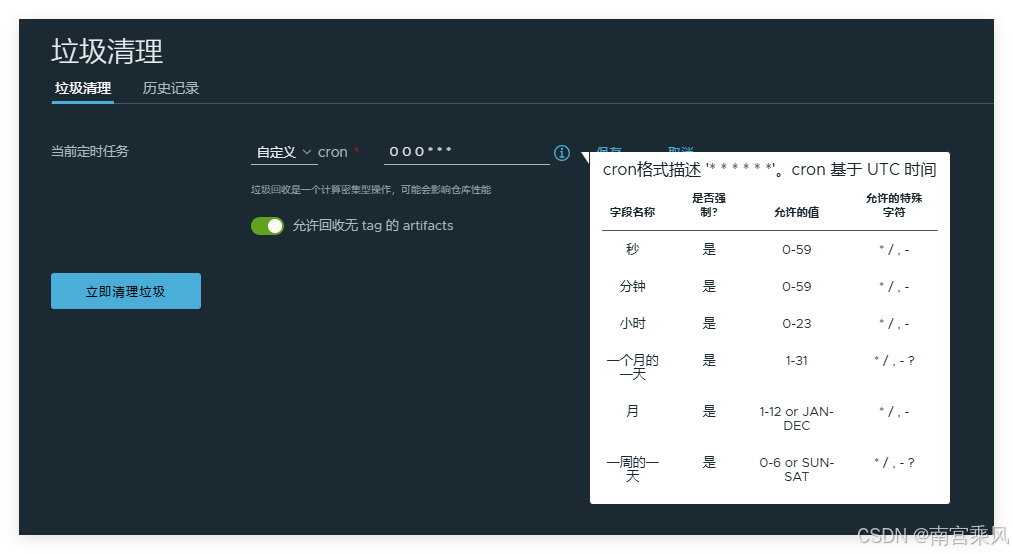
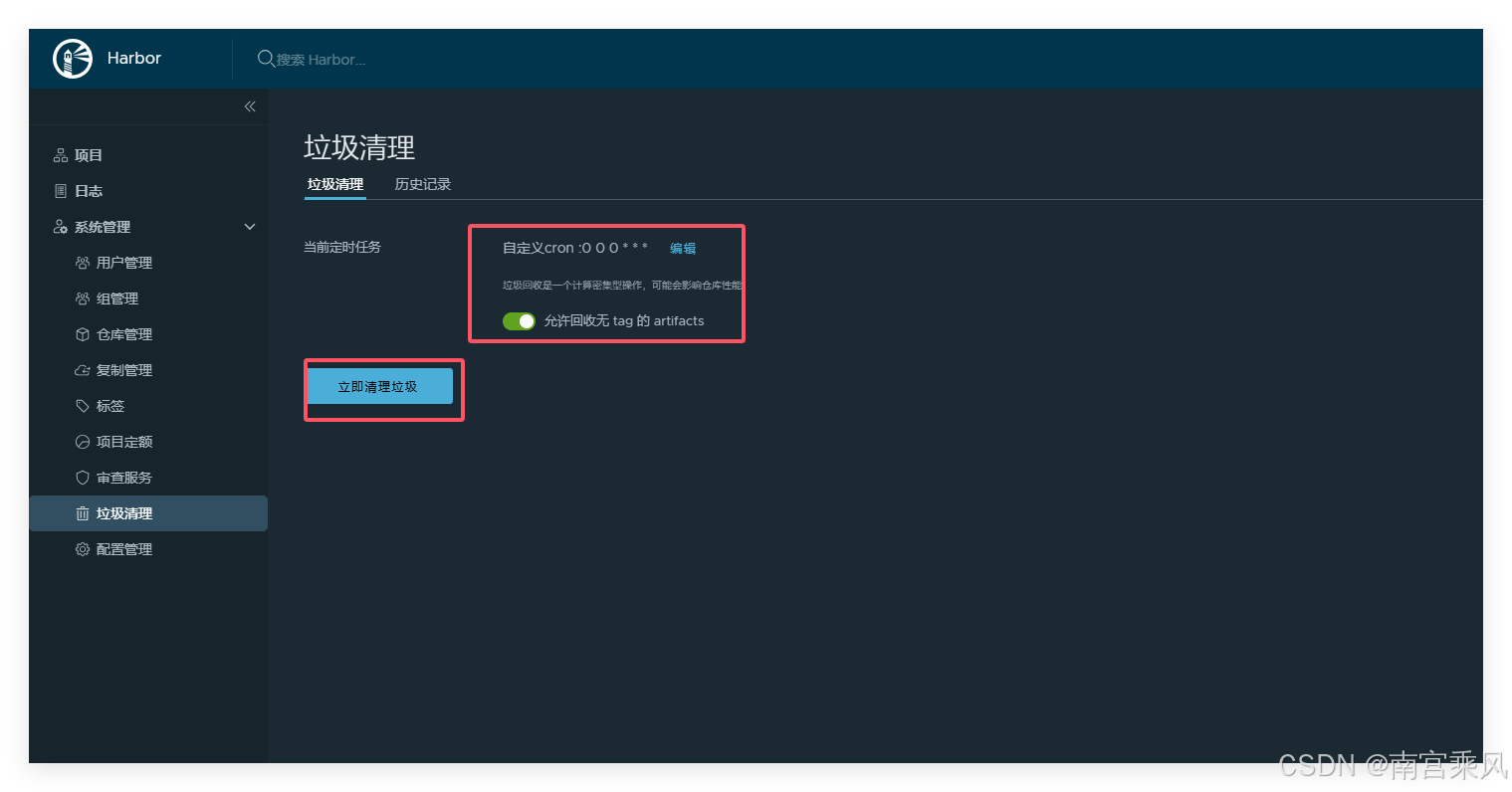
- In the left navigation bar, go to Administration > Garbage Collection.
- Click Garbage Collection Now to start the cleanup.
- Check the execution result and released space in the history list.
Garbage collection can also be scheduled, so Harbor periodically releases unused storage instead of depending entirely on manual execution.
Things to pay attention to
Policy priority: Multiple retention policies may overlap or conflict. Harbor executes policies according to their creation order, so the priority and matching range should be planned carefully.
Tag management: A clear tag naming convention makes retention rules much easier to match accurately. For example, stable release tags and temporary build tags should be distinguishable.
Test before production: Before applying cleanup rules in a production Harbor instance, verify the result in a test environment to avoid deleting important images by mistake.
Back up important data: Before running cleanup tasks, especially scripted deletion or large-scale retention policies, back up critical data to reduce the risk of unexpected loss.