When Squashing Commits Makes Sense
When a feature is developed on a separate branch, it is common to commit work in several small steps. By the time the feature is ready to merge, that branch may contain multiple commits, including temporary or low-value messages that are useful during development but not helpful in the long-term history of the main branch.
Merging those commits directly is not necessarily wrong. Whether to keep every commit or squash them into one is mostly a matter of team preference and project convention. The goal of squash commits is simply to make the target branch easier to read and maintain.
Below are two common ways to squash multiple Git commits before or during a merge.
Method 1: Squashing with Interactive Rebase
Assume the current commit history looks like this: the feature/login branch has finished development and now needs to be merged into the dev branch.

Run the following command on the feature branch:
$ git rebase -i HEAD~3
Git opens an interactive rebase editor:

Change pick to squash on the second and third lines, then save the file.

Git will then open another editor for the new commit message. Fill in the final commit message and save again.
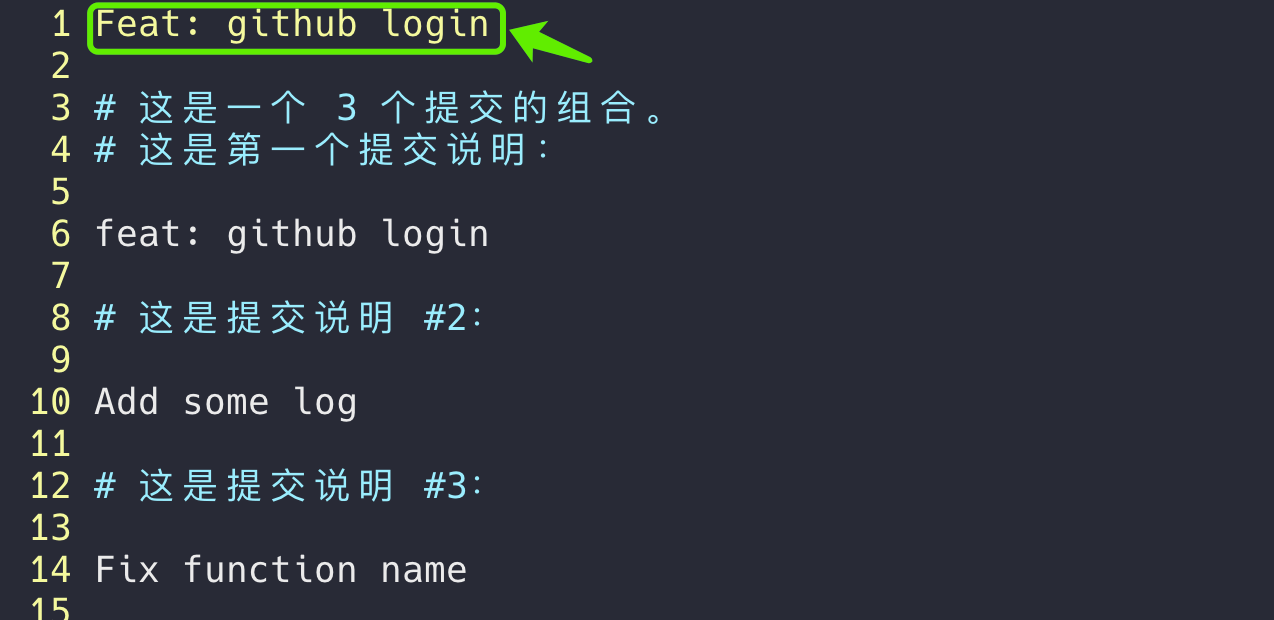
After that, the three commits on feature/login are combined into a single commit.

Now switch to the dev branch and merge the feature branch:
git checkout dev
git merge feature/login
The result is a cleaner dev branch with one commit representing the completed feature.

If the dev branch has changed while the feature branch was being developed, the situation may look like this before the merge:

After merging, the history can still remain concise:

This is the first approach: using Interactive Rebase to turn several commits into one before merging.
Method 2: Squashing During Merge
Another option is to squash at merge time. Suppose a new branch is created for testing this workflow:

Switch to the dev branch and run:
$ git merge --squash feature/add-coin

$ git add a.txt

$ git commit -m "Feat: support add coin"
Using git merge with the --squash option produces a similar result: multiple commits from the feature branch are applied to dev as one new commit. The difference is that the local feature branch remains intact with its original commit history.

This approach also avoids the automatic merge commit that can occur during a normal merge.
Both methods are useful in different situations. Interactive rebase rewrites the feature branch history before merging, while git merge --squash keeps the feature branch unchanged and creates a single commit directly on the target branch. Used appropriately, squash commits help keep the main development branch compact and easier to follow.