Two x86 instances from Oracle's free tier had been sitting around as occasional test boxes. One of them stopped accepting connections while I was poking at SSH configuration, and the reinstall guides I found at the time looked fiddly enough that I left it alone. Coming back to it later, I discovered Oracle had long since added an official rebuild path — a few minutes of configuration and the machine was useful again.
Rebuilding by replacing the boot volume
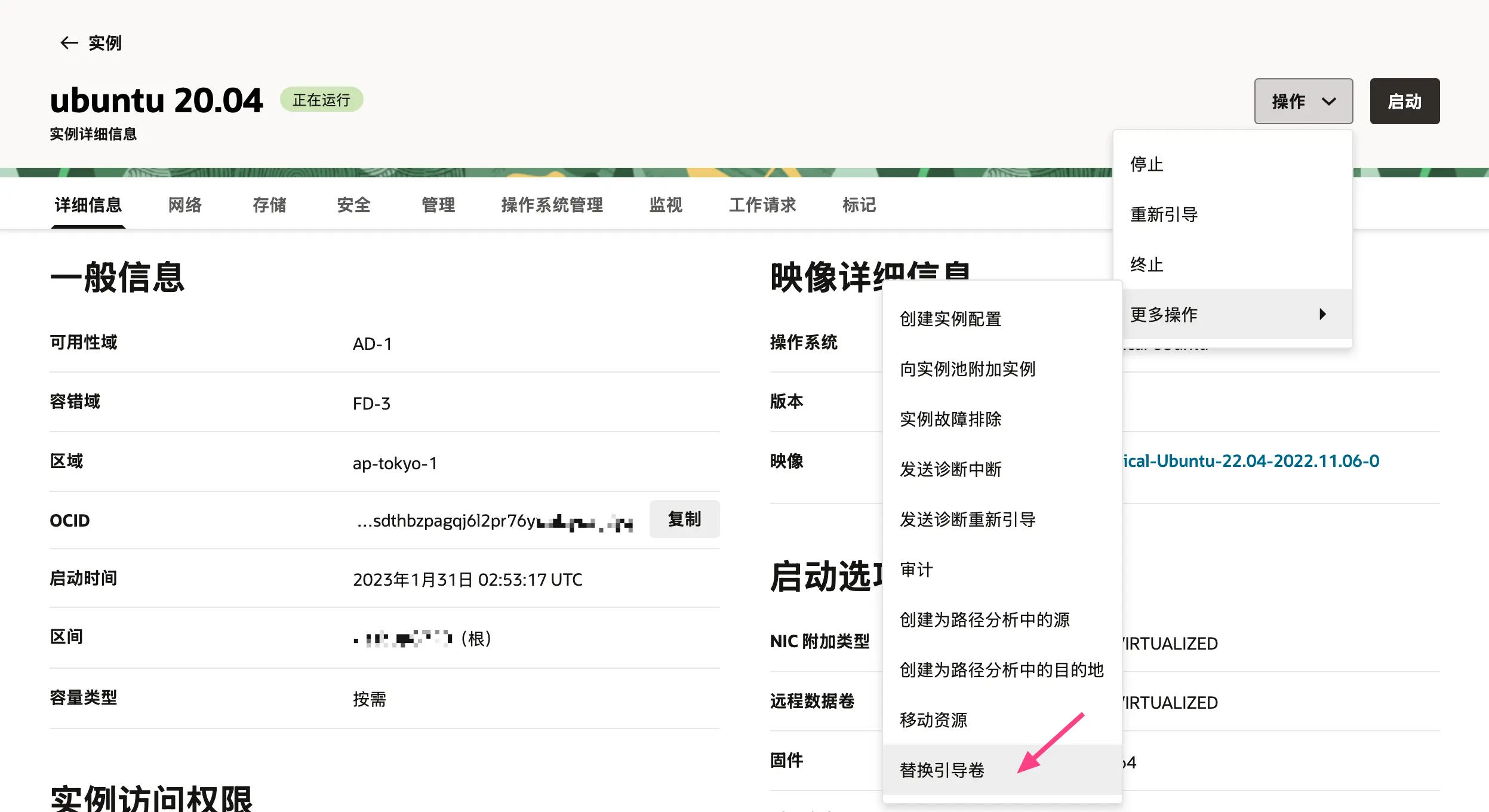
This is the vendor-supported route: open the instance details and go to Actions → More actions → Replace boot volume.
Leave the preserve-boot-volume switch off, then choose Image and Enter OCID.
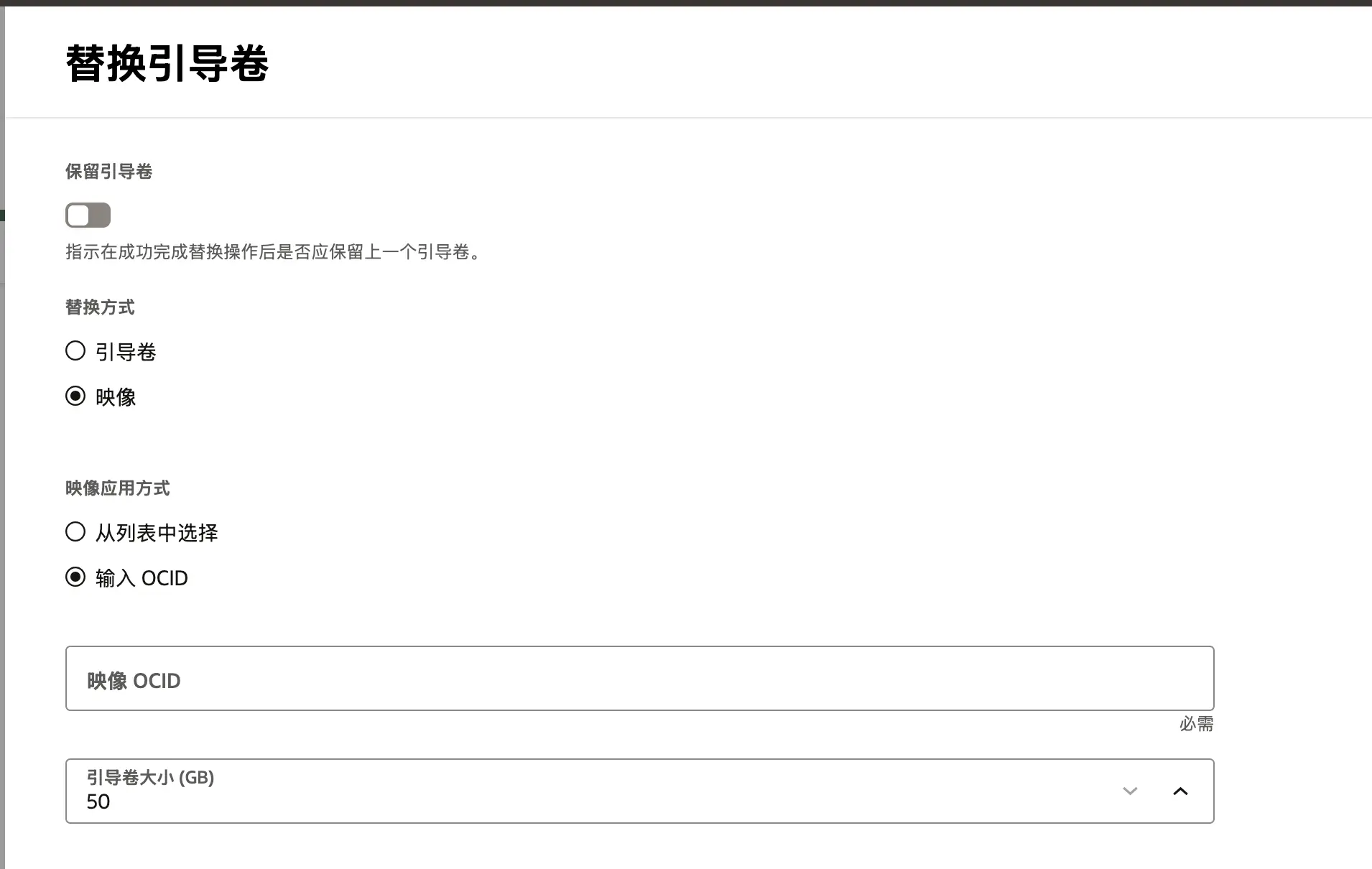
OCIDs live at https://docs.oracle.com/en-us/iaas/images/. There is one constraint to keep in mind: you can only move within the same OS family and to a different version — Ubuntu 20.04 to 24.04 Minimal, for instance. Jumping families, such as CentOS 7 to Oracle Linux 9, is not permitted.
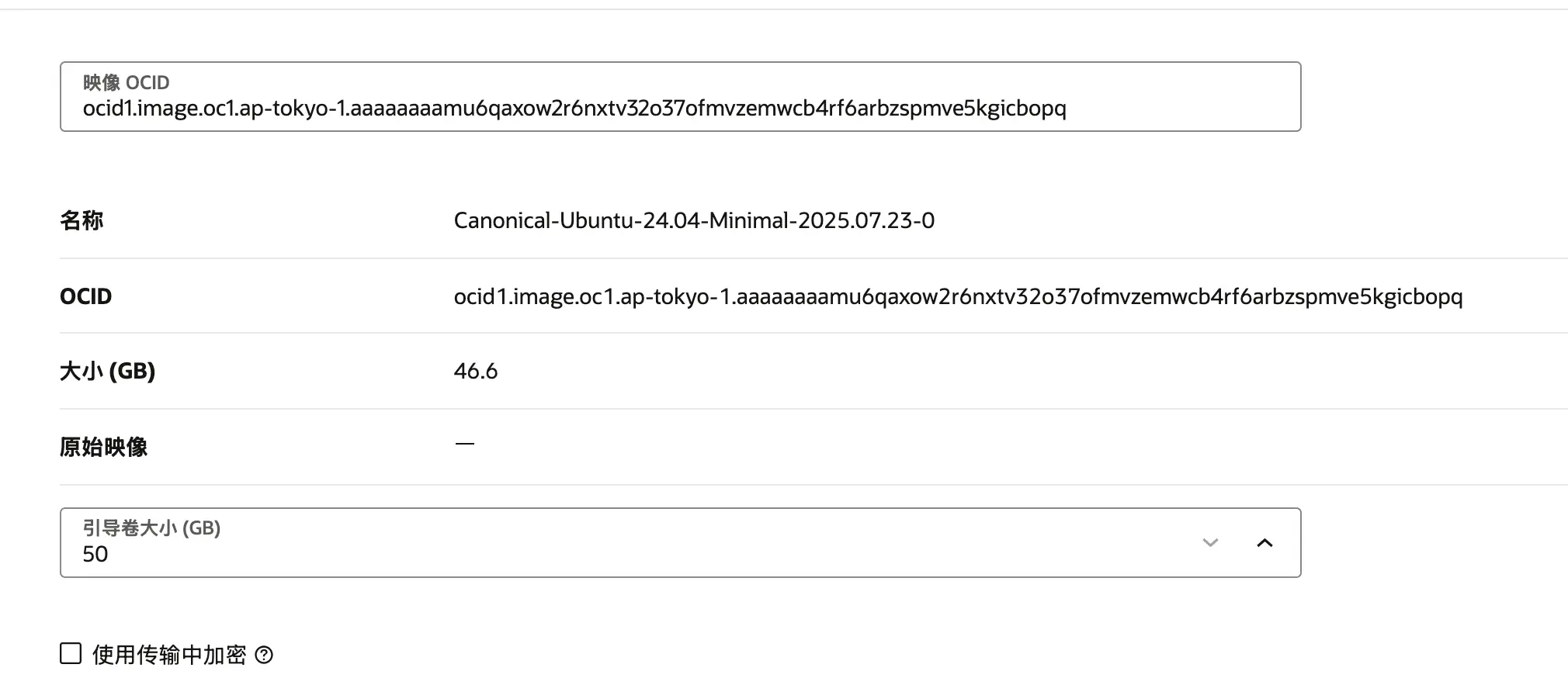
Once the OCID is pasted in, the image details populate on their own. Leave the boot volume size as it is.
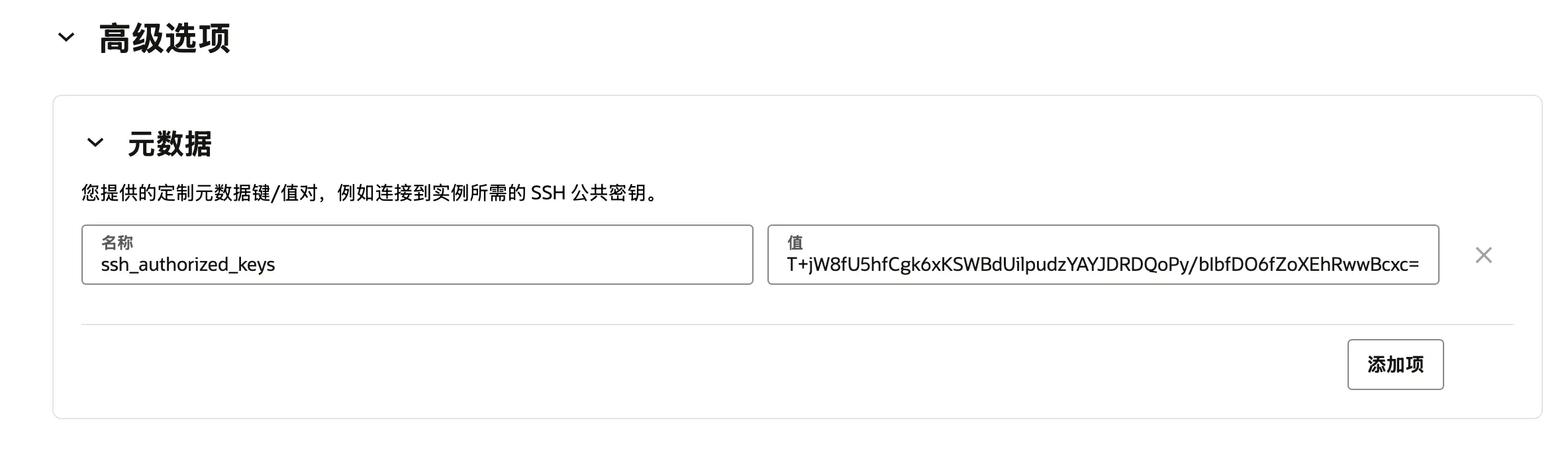
If you want a fresh SSH key rather than the old one, open the advanced options and add ssh_authorized_keys, with the public key as its value.
Keeping Ubuntu 24.04 occupied
Might as well put the machine to work.
sudo apt update && sudo apt upgrade -y

sudo apt install htop git build-essential

# The original lookbusy download link may be dead; get the lookbusy 1.4 source tarball yourself
# e.g. from an archive site or by searching for lookbusy-1.4.tar.gz
tar xvf lookbusy-1.4.tar.gz

cd lookbusy-1.4

chmod a+x configure

./configure

make

sudo make install

nohup lookbusy -c 5-15 -r curve > lookbusy.log 2>&1 &
Can CentOS 7 still earn its keep
After months without a login, yum had started failing:
Cannot find a valid baseurl for repo: base/7/x86_64
The official CentOS 7 mirrors are gone, so /etc/yum.repos.d/CentOS-Base.repo needs editing:
- Uncomment every line beginning with
baseurl. - Replace all
mirrorlist.centos.orgwithvault.centos.org. - Replace all
mirror.centos.orgwithvault.centos.org. - Clear the cache with
sudo yum clean all.
The edited file looks something like this:
[base]
name=CentOS-$releasever - Base
mirrorlist=http://vault.centos.org/?release=$releasever&arch=$basearch&repo=os&infra=$infra
baseurl=http://vault.centos.org/centos/$releasever/os/$basearch/
gpgcheck=1
gpgkey=file:///etc/pki/rpm-gpg/RPM-GPG-KEY-CentOS-7

#released updates
[updates]
name=CentOS-$releasever - Updates
mirrorlist=http://vault.centos.org/?release=$releasever&arch=$basearch&repo=updates&infra=$infra
baseurl=http://vault.centos.org/centos/$releasever/updates/$basearch/
gpgcheck=1
gpgkey=file:///etc/pki/rpm-gpg/RPM-GPG-KEY-CentOS-7

#additional packages that may be useful
[extras]
name=CentOS-$releasever - Extras
mirrorlist=http://vault.centos.org/?release=$releasever&arch=$basearch&repo=extras&infra=$infra
baseurl=http://vault.centos.org/centos/$releasever/extras/$basearch/
gpgcheck=1
gpgkey=file:///etc/pki/rpm-gpg/RPM-GPG-KEY-CentOS-7

#additional packages that extend functionality of existing packages
[centosplus]
name=CentOS-$releasever - Plus
mirrorlist=http://vault.centos.org/?release=$releasever&arch=$basearch&repo=centosplus&infra=$infra
baseurl=http://vault.centos.org/centos/$releasever/centosplus/$basearch/
gpgcheck=1
enabled=0
gpgkey=file:///etc/pki/rpm-gpg/RPM-GPG-KEY-CentOS-7
Then bring the packages up to date:
sudo yum update -y
I had half a mind to follow the Oracle blog post on upgrading CentOS 7 to Oracle Linux 8, but the pre-check report put an immediate stop to that — the very first line was a minimum memory requirement that this instance does not meet.
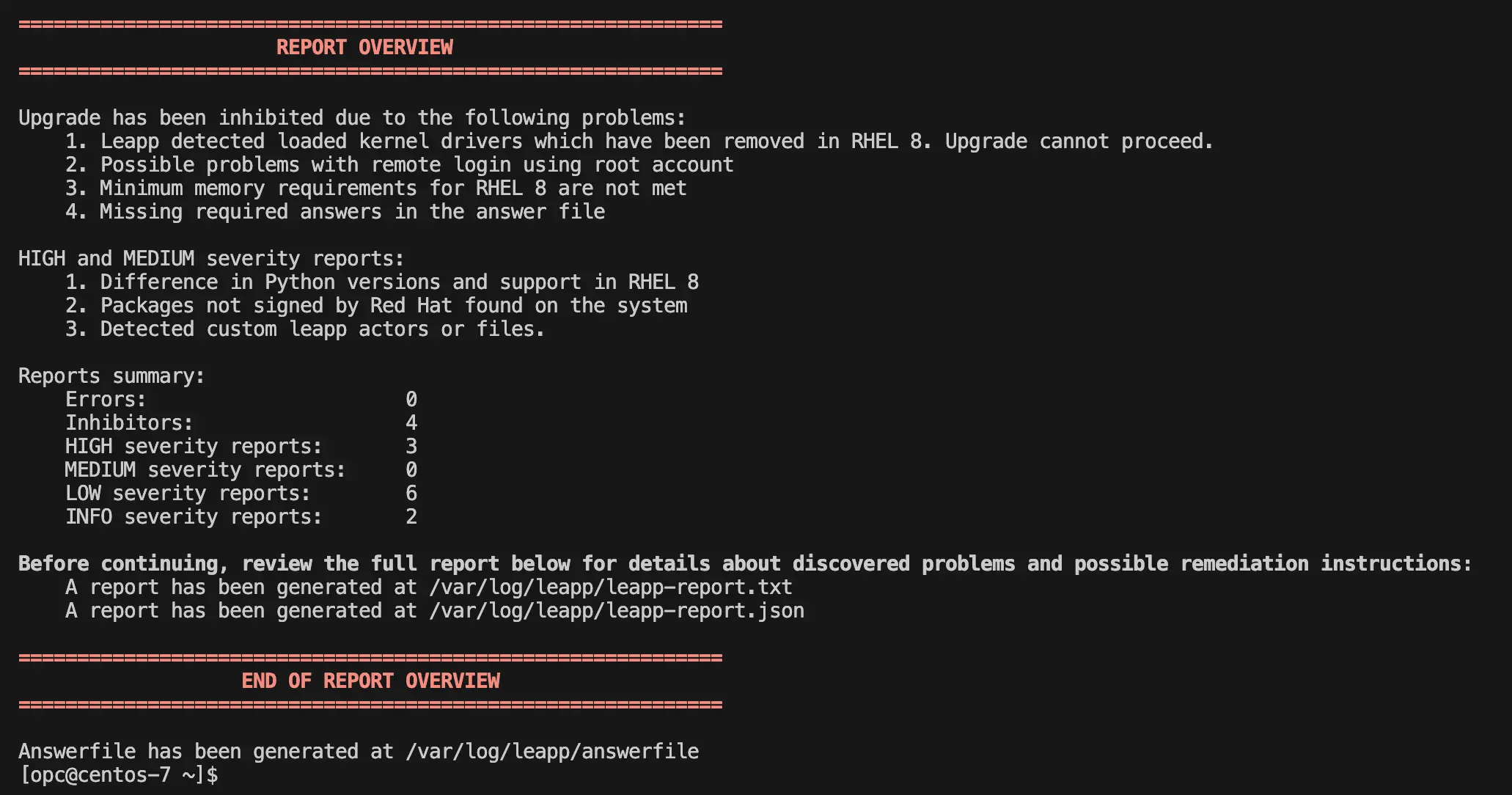
So that plan was dropped.
Giving CentOS 7 something to do as well
sudo yum -y update

sudo yum -y install htop git

sudo yum groupinstall "Development Tools"

# The original lookbusy download link may be dead; get the lookbusy 1.4 source tarball yourself
# e.g. from an archive site or by searching for lookbusy-1.4.tar.gz
tar xvf lookbusy-1.4.tar.gz

cd lookbusy-1.4

chmod a+x configure

./configure

make

sudo make install

nohup lookbusy -c 5-15 -r curve > lookbusy.log 2>&1 &
A note on disk space
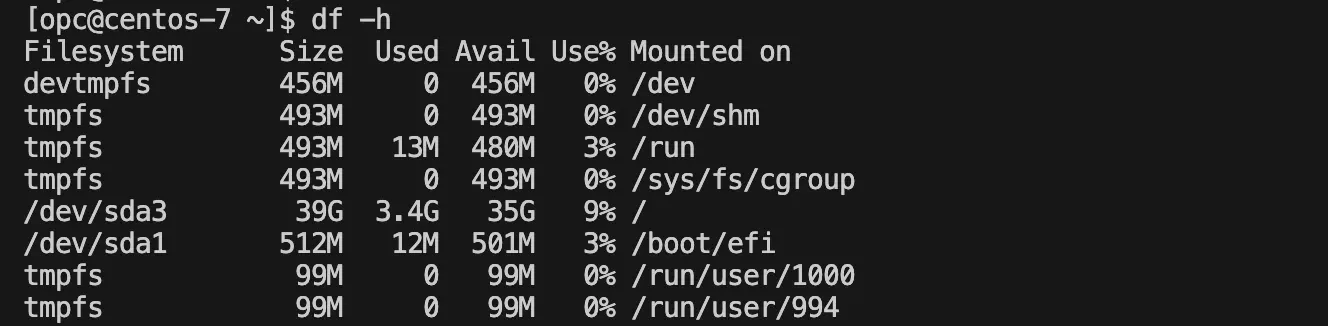
Ubuntu 24.04 Minimal is noticeably leaner on storage — after installing the same set of tools there was still 46 GB free.
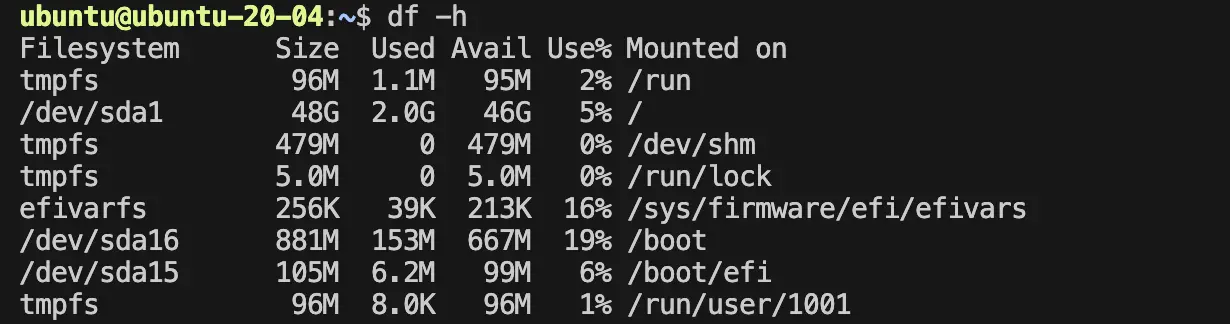
The "full" CentOS 7 install, with the same software in place, had 35 GB left.