Why changing the SSH port wasn’t enough
After rearranging the deployment on one cloud server, its overall security was already in decent shape. Later, when setting up a new server in Hong Kong, the first step was the usual one: move SSH away from the default port 22 to some less common port.
The assumption was straightforward enough—if SSH wasn’t listening on the default port, it should avoid a fair amount of brute-force traffic. But about a week ago, the login logs suddenly showed a large number of failed SSH attempts. That made one thing clear: someone, or more likely an automated scanner, had probed the server’s open ports and figured out which one was actually running SSH.
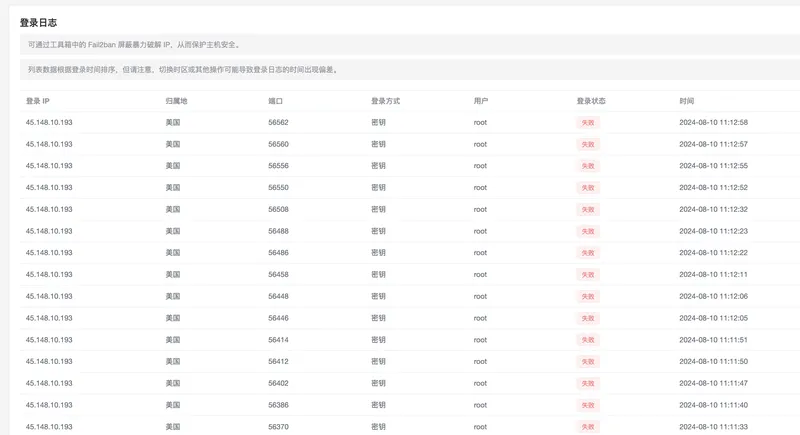
Simply hiding SSH on a nonstandard port helps a little, but it does not stop targeted scans.
Disable password-based login
Passwords can leak in too many ways: brute-force attempts, credential stuffing, database breaches on unrelated sites, and other common exposure scenarios. Because of that, password authentication is best turned off entirely and replaced with key-based authentication.
As long as the private key is stored safely, this is a much more reliable option.
Disabling direct root login would be safer as well, but on a personal server it can be annoying to elevate privileges for every operation, so that step has been left out for now.
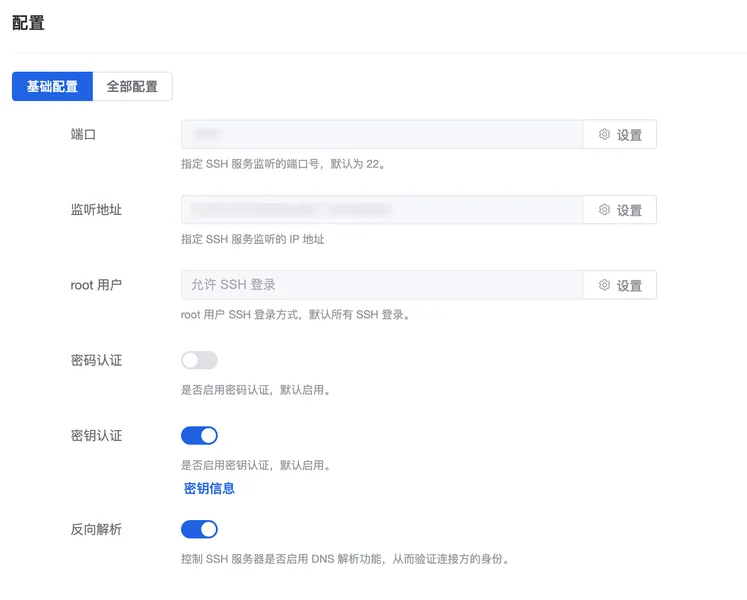
Use Fail2ban to block brute-force attempts
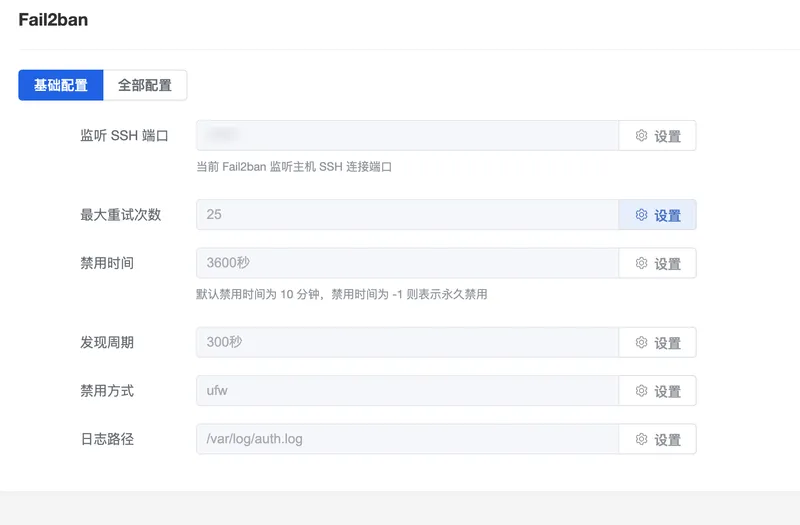
Another layer was adding Fail2ban to automatically ban IPs that repeatedly fail authentication.
At first, the ban duration was set to 10 minutes. That turned out to be too short: as soon as the 10 minutes expired, the same attacking IPs would resume trying to brute-force their way in. The ban time was then increased to 1 hour, which is much more effective against this kind of repeated probing.
Put SSH behind an IP whitelist
The most effective change was applying an IP whitelist to the SSH port at the firewall level. Once that is in place, only addresses on the whitelist can even reach the SSH service, which improves security significantly.
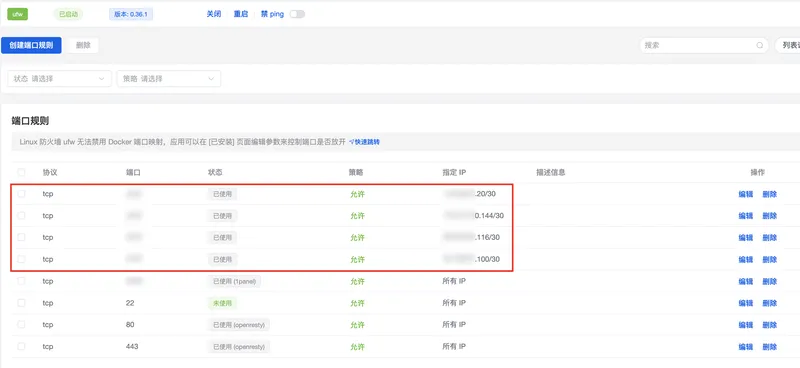
That raises an obvious question: how do you make sure your own connection is always coming from a whitelisted IP?
A practical answer is to use Tencent’s Aochi Terminal to connect to the server over SSH. In that setup, only the terminal service’s egress IP needs to be added to the whitelist, and SSH access remains available from anywhere without exposing the port broadly to the public internet.