After an iPhone has been used for a while, it tends to accumulate a surprising number of cache and temporary files. Even though a 16GB iPhone 5 may start out with around 13.5GB of usable space, that free storage can disappear quickly after installing a few games. A good portion of that lost space often comes from leftover cached data.
Manually clearing those files app by app is tedious, especially when there are already many apps installed, and even then it is not always possible to remove everything. That is where PhoneClean comes in. It is a cleanup utility designed for iPhone and iPad devices, mainly for removing junk files and reclaiming storage.
Although PhoneClean is an English-language program, it is not difficult to use. There is also an option in the upper-left menu to switch the interface language to Simplified Chinese. The layout is straightforward: connect the device to a computer, run a scan, and then let the software clean cache files and other unnecessary data.
One reason this tool stands out is that it can help with more than just storage pressure. In one case, a game kept crashing after only a few minutes of play. Reinstalling it did not solve the problem, and the app continued to quit unexpectedly. After running PhoneClean and clearing the device, the game stopped crashing. That experience made the software much more convincing as a practical cleanup tool. If you have run into a similar problem, it may be worth trying.
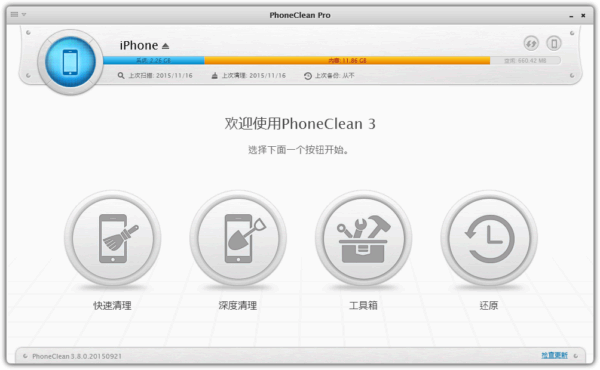
At the time described here, the latest version available from the official website, PhoneClean 3, required an activation license code during installation and use.
Enter this activation code: GF3K-ZGKS-4NGW-BKOW-NFOC, then click activate.
What PhoneClean can clean
- Temporary files created while apps are running;
- Cache and offline files, including images, snapshots, and video/audio media files;
- Cookies and script files, which can also help protect personal privacy;
- Partially downloaded or unsuccessfully synced media files.
Before cleaning, it is still a good idea to create a backup in iTunes first, just in case some useful data is removed by mistake.