Learning assembly on Windows is the path most people take — the platform comes with the territory, and MASM is what the textbooks and courses reach for. So how do you get the classic Hello World running when you're sitting at a Linux machine? The trick is not to abandon MASM at all, but to put a DOS environment underneath it.
DOSBox is the usual answer. On Ubuntu you can find it in the software center — install it and an icon shows up in the launcher.
Or from a terminal:
sudo apt-get install dosbox
On distributions that use yum instead:
yum -y install dosbox
Launch it and you land in the DOSBox window:
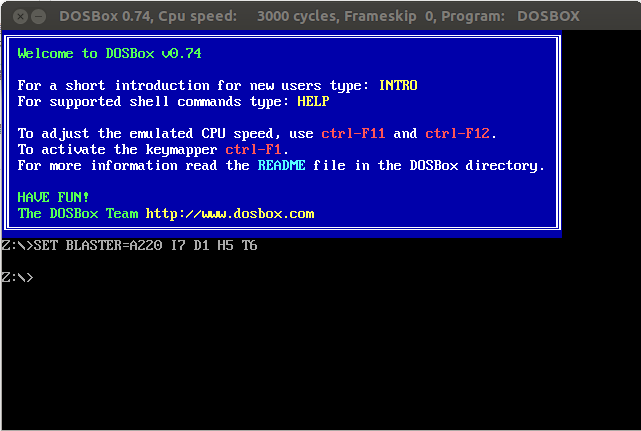
Next you need to point DOSBox's C: drive at the folder that holds your tools. Say debug.exe and masm.exe live under /home/sincerefly/study/asm/tools — then you mount it like this:
mount c /home/sincerefly/study/asm/tools
Type C: afterwards and you're inside that directory.

The environment is ready. Time to write the first Hello World.
Assembly source files carry the .asm extension and can be written in whatever editor you like. Vim and Emacs are the standard recommendations — vim has been called the god of editors and Emacs the editor of gods. Both are enormously capable, but they ask for some familiarity before they give anything back. If you're not there yet, gedit is a friendlier choice that still does plenty.
Enter and save the following:
data SEGMENT
    msg DB 'Hello, world.$'
    data ENDS
code SEGMENT
    ASSUME CS:code,DS:data
  start:MOV AX,data
    MOV DS,AX
    lea dx,msg
    mov ah,9h
    int 21h
    MOV AX,4C00h
    INT 21h
    code ENDS
  END start
Save it as hw.asm in the directory you mounted earlier. Keep the filename short — a long one will cause errors.
Now compile it. At the DOSBox prompt:
masm hw.asm
Press Enter a few times and you get this:

What happened here? It looks like the file can't be found, even though it plainly exists. DOSBox apparently doesn't refresh its directory listing on the fly. There may be a command that forces it, but I never worked out which one — reopening DOSBox does the job.
Compile once more and you'll see this:
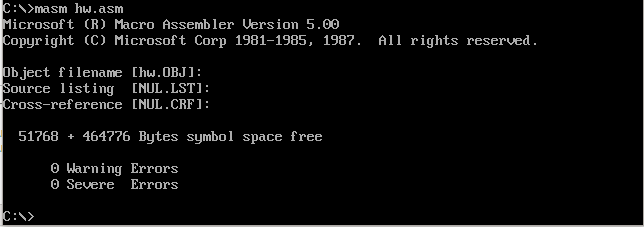
Next comes linking. Note that the extension is dropped this time:
link hw
On success you'll see:
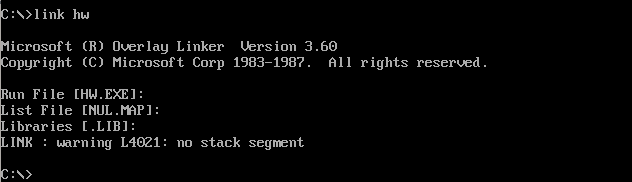
There's a warning: LINK: warning L4021: no stack segment. Ignore it. You aren't using a stack segment, and that's all it's telling you — the program itself is correct.
Run hw and:

There's your Hello, world. The door to assembly is open — here's hoping the road from here stays smooth.