Why keep a Hexo command reference?
If your blog runs on Hexo, it helps to have the commonly used commands gathered in one place for quick lookup.
Frequently used commands
<table> <thead> <tr> <th>Command</th> <th>Format</th> <th>What it does</th> </tr> </thead> <tbody> <tr> <td>init</td> <td>hexo init [folder]</td>
<td>Create a new site</td>
</tr>
<tr>
<td>new</td>
<td>hexo new [layout] <title></td>
<td>Create a new post</td>
</tr>
<tr>
<td>generate</td>
<td>hexo generate</td>
<td>Generate static files</td>
</tr>
<tr>
<td>publish</td>
<td>hexo publish [layout] <filename></td>
<td>Publish a draft</td>
</tr>
<tr>
<td>server</td>
<td>hexo server</td>
<td>Start the local server</td>
</tr>
<tr>
<td>deploy</td>
<td>hexo deploy</td>
<td>Deploy the site</td>
</tr>
<tr>
<td>render</td>
<td>hexo render <file1> [file2] ...</td>
<td>Render files</td>
</tr>
<tr>
<td>migrate</td>
<td>hexo migrate <type></td>
<td>Migrate from another blog system</td>
</tr>
<tr>
<td>clean</td>
<td>hexo clean</td>
<td>Clear the cache</td>
</tr>
<tr>
<td>list</td>
<td>hexo list <type></td>
<td>List routes</td>
</tr>
<tr>
<td>version</td>
<td>hexo version</td>
<td>Show version information</td>
</tr>
<tr>
<td>config</td>
<td>hexo config [key] [value]</td>
<td>List the site configuration</td>
</tr>
</tbody>
</table>
When using Hexo commands, the command name often does not need to be typed in full. As long as the abbreviation is still unambiguous, it will work.
For example, hexo server can be shortened to hexo s. But hexo clean cannot be shortened to hexo c, because hexo config also starts with c, so Hexo would not be able to tell which one you mean.
The list command
The list command is useful for checking routes and viewing structured information such as posts, tags, and categories.
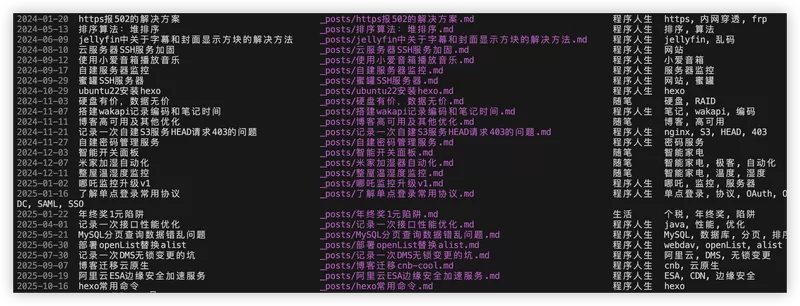
Using hexo list post shows the post list. The output is automatically sorted in ascending order by date, which makes it easier to quickly find articles written in the past along with their corresponding files.
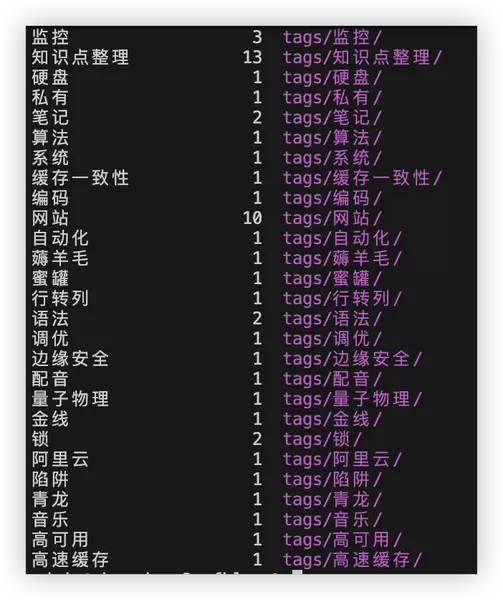
Using hexo list tag lists all tags.
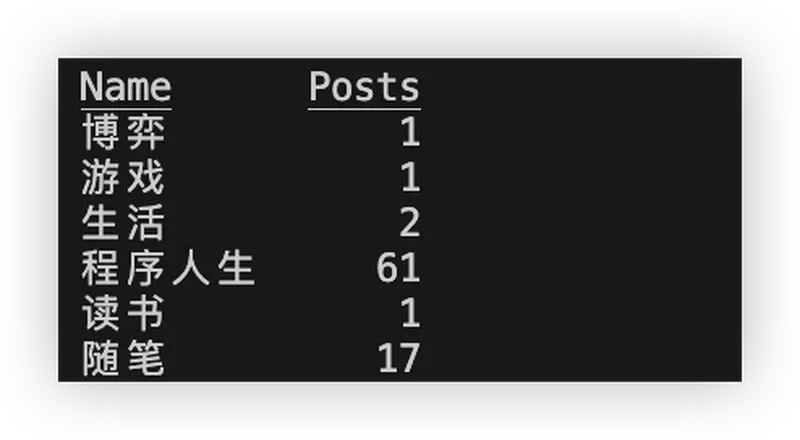
Using hexo list category lists all categories.