I recently picked up a 500 GB hard drive from Seagate, and the performance seemed pretty decent, so I decided to attach it to my Linux server and use it as private cloud storage.
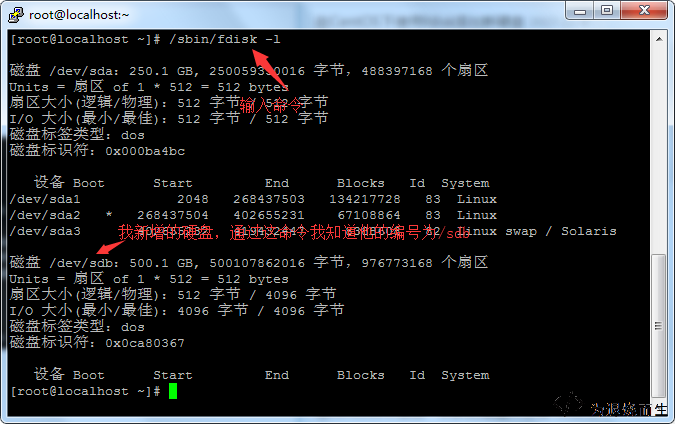
The first step is to identify the newly added disk. Run:
/sbin/fdisk -l
After pressing Enter, you should be able to see the device name assigned to the new drive.
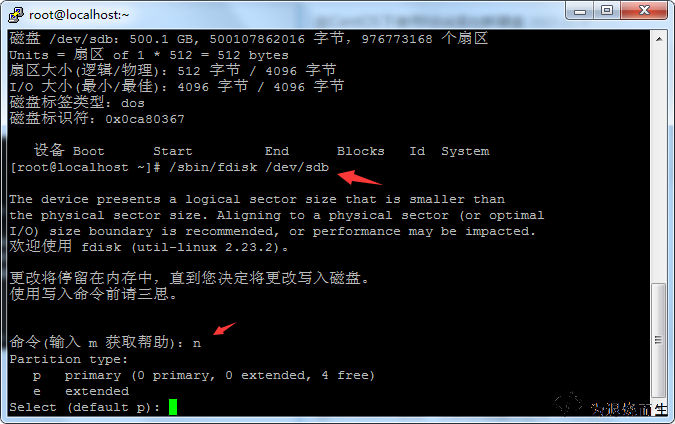
Once you have confirmed the disk number, enter partition mode with:
/sbin/fdisk /dev/sdb
Inside fdisk, start by typing n, then p.
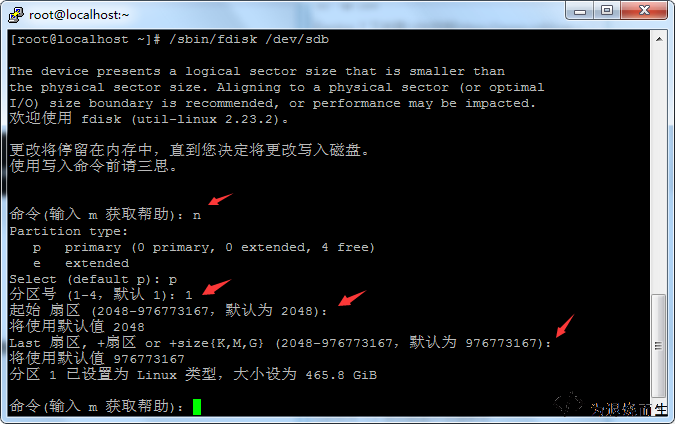
Next, type 1, then press Enter, and press Enter again for the remaining prompt. The partition layout here can be adjusted based on your own needs.
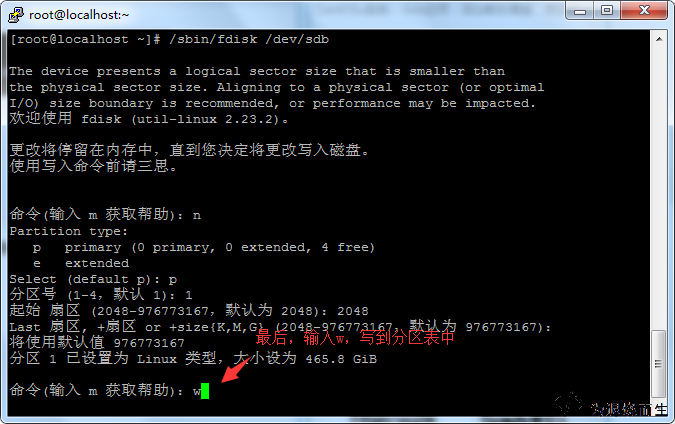
When everything looks right, type w to write the partition table.
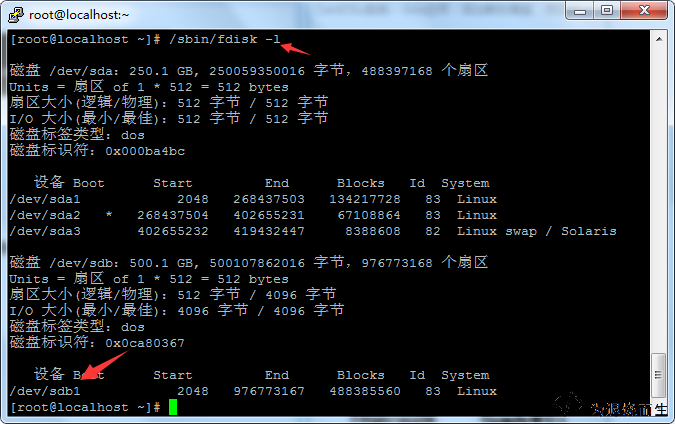
After that, run /sbin/fdisk -l again and you should see the new partition listed.
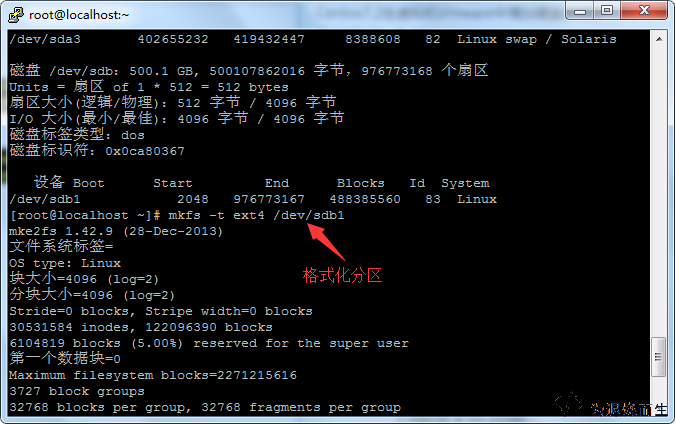
Now format it with ext4:
mkfs.ext4 /dev/sdb1
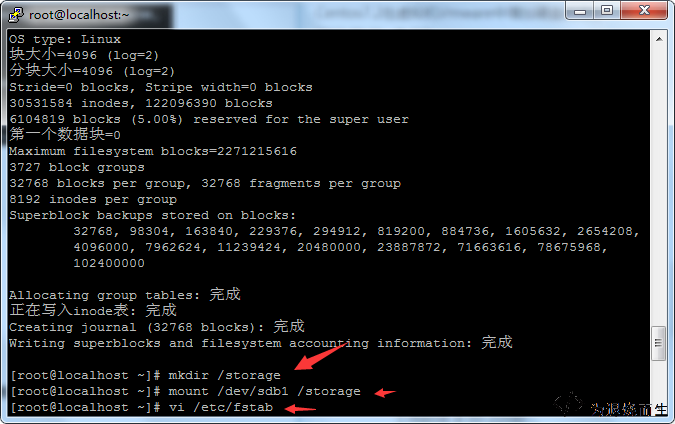
Next, create the directory where you want the disk mounted:
mkdir /xxx
Then mount it manually:
mount /dev/sdb1 /xxx
Once mounted, check whether it succeeded. If everything is working normally, you can set it to mount automatically at boot by editing /etc/fstab.
Open the file with:
vi /etc/fstab
Add the following line at the end:
/dev/sdb1 /xxx ext4 defaults 0 0
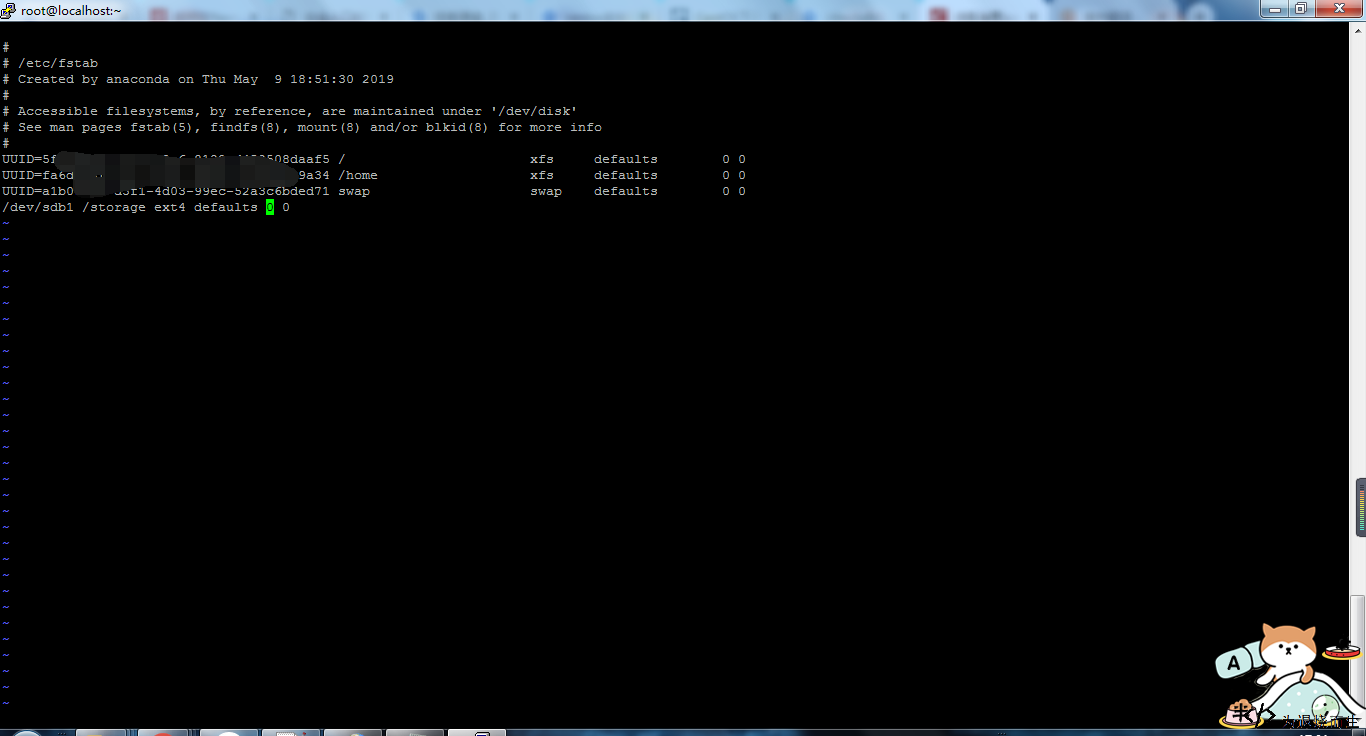
After that, the drive will be mounted automatically.
This setup was done on CentOS. Other Linux distributions were not tested here, so if you are using a different system, you will need to verify compatibility yourself.