A personal computer is rarely completely public. Most people keep at least a few files or folders they would rather not have others stumble across—study materials, personal documents, that sort of thing. Folder Hidden Elf is a small utility built for exactly that job: keeping selected folders and files out of sight without much setup.
The program is about 900 KB and comes as a portable, no-install package. Download it, run it, and start using it. The first launch asks for an initial password. Set it carefully and remember it, because there is no way to recover it later.
It offers three main functions: folder hiding, folder disguise, and file encryption.
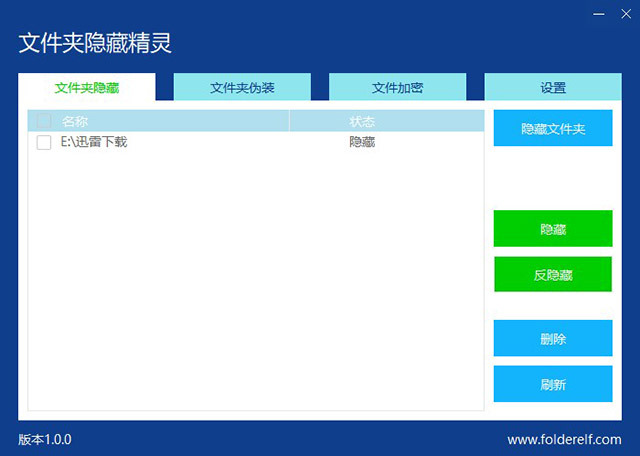
For straightforward concealment, click the "Hide Folder" button and choose the folder you want to hide. Once it is hidden, the folder disappears from its usual location. To bring it back, select the hidden folder inside the program and click "Unhide"; the folder will then reappear.
Folder disguise takes a different approach. It can make a selected folder look like Recycle Bin, Printer, My Computer, or Network Neighborhood. If you disguise a folder as My Computer, for example, opening that folder takes you to the My Computer view. The disguise is not obvious from the outside.
The software also includes file encryption as part of the same set of privacy tools. The overall idea is simple: a lightweight utility that puts a few extra barriers between private material and anyone else using the computer.