Note: This walkthrough does not go into detailed parameter tuning.
For multi-GPU training, replace
python tools/trainxxxxwith:
python -m paddle.distributed.launch --selected_gpus 0,1,2,3 tools/trainxxxxxxThe
0,1,2,3setting assumes four GPUs are available. If you are training with two GPUs, use0,1instead.You can check how many GPUs are installed with
nvidia-smi.
Using Baidu's PaddleDetection object detection toolkit as an example, the process below shows how to prepare a VOC-format dataset, adjust the configuration, and run training, evaluation, export, and inference.
Project layout
This is the repository structure on GitHub:
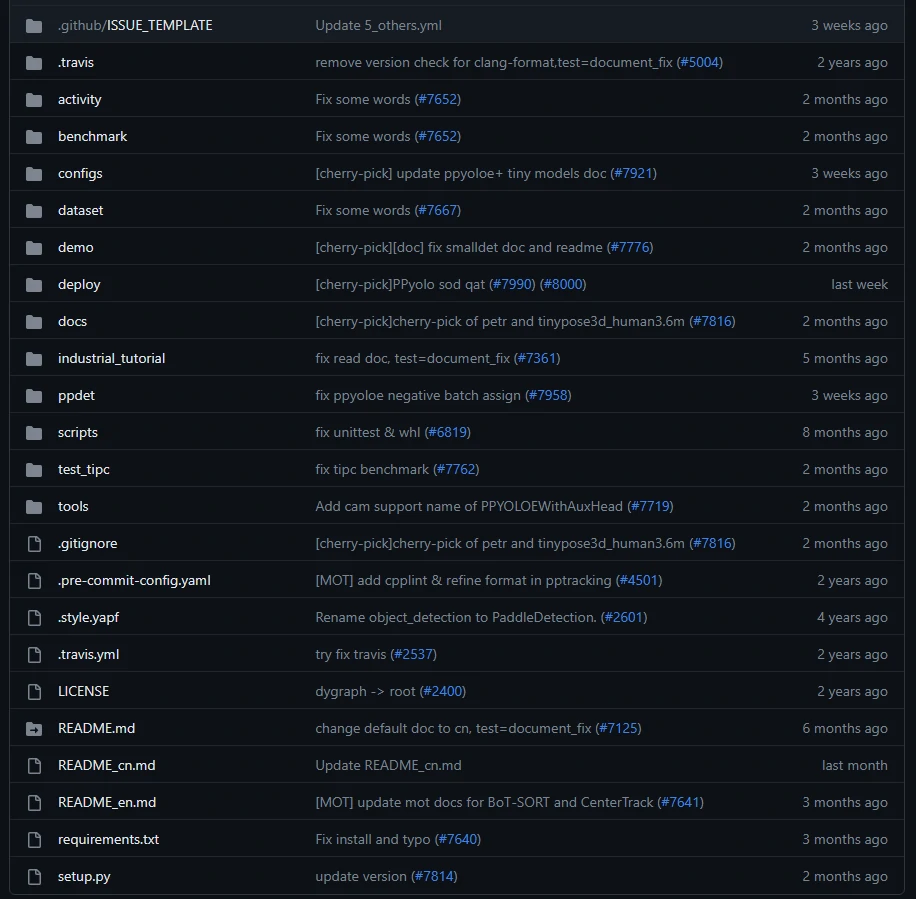
The parts used here are mainly organized like this:
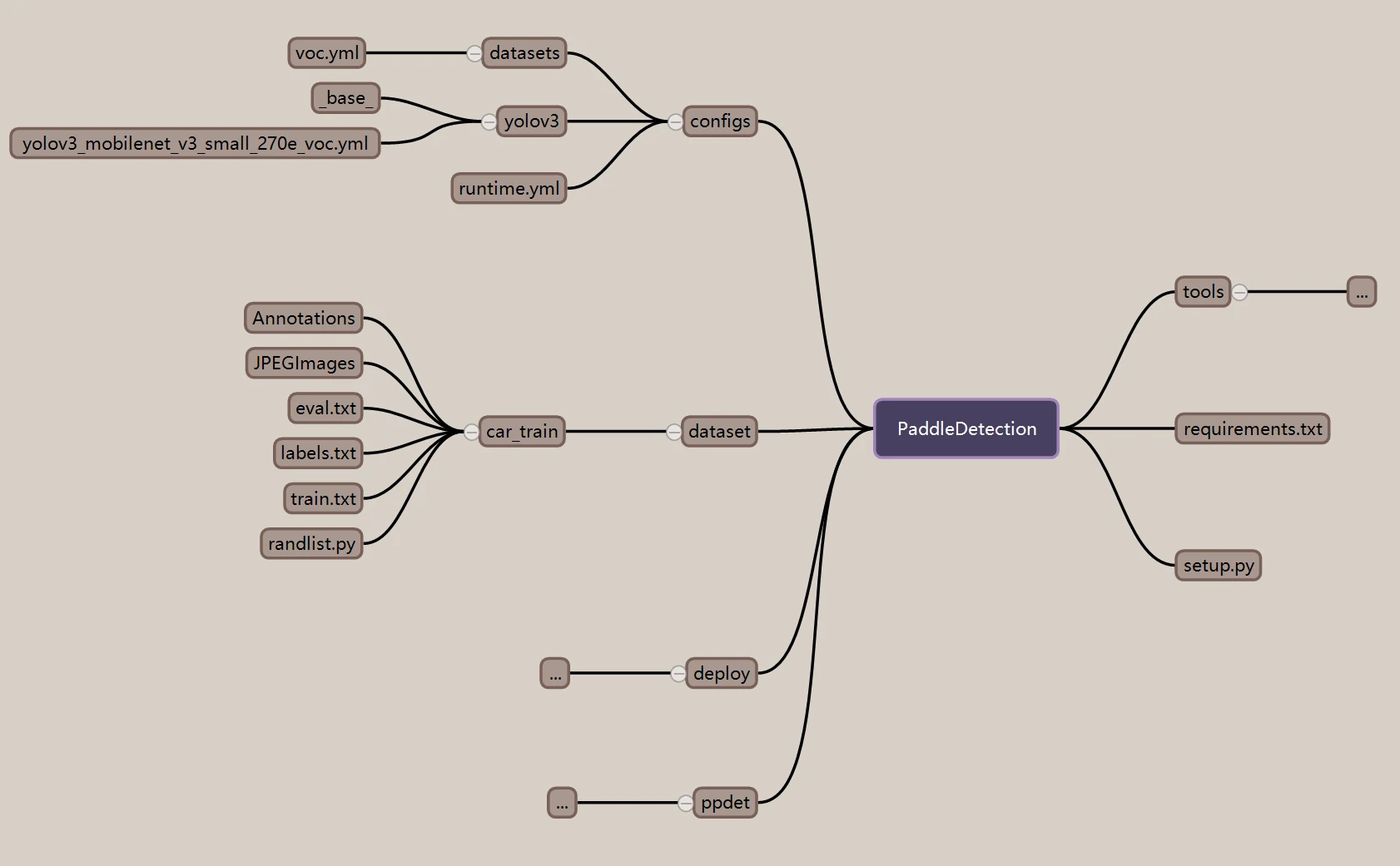
Dataset setup
The example dataset is car_train, stored in VOC format.
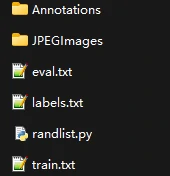
JPEGImages contains all image files, and Annotations contains the annotation XML files.
You can create annotations with labelimg. Once the dataset has been organized in this format, model training can be prepared.
Before training
The model used here is YOLOv3. Its configuration files can be found under PaddleDetection/configs/ after cloning PaddleDetection.
However, there is no ready-made yolov3_mobilenet_v3_small_270e_voc file in that directory.
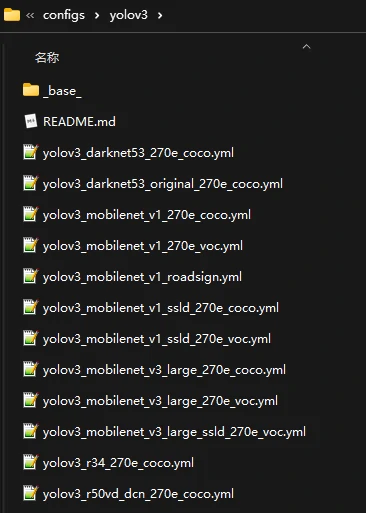
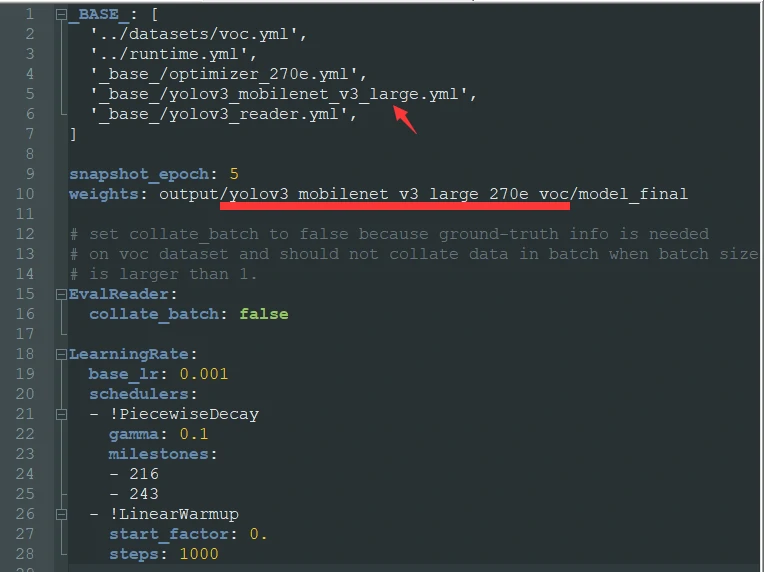
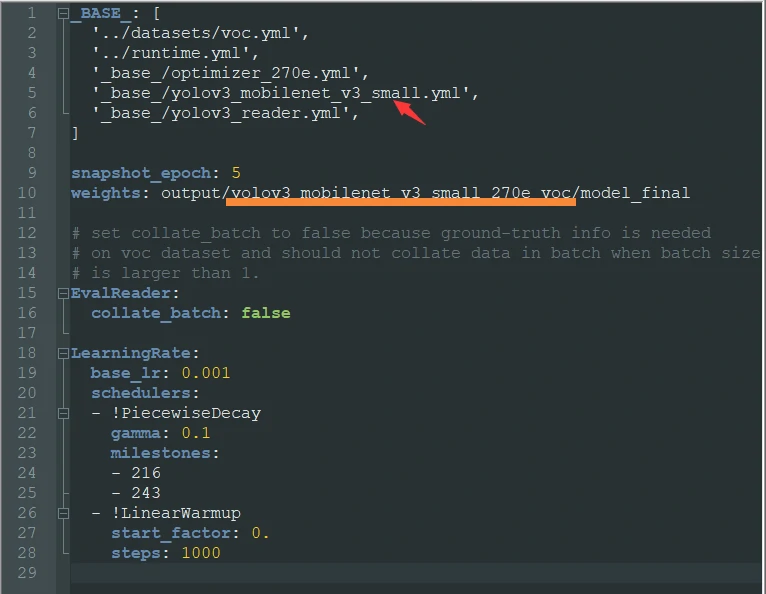
A simple way to handle this is to copy yolov3_mobilenet_v3_large_270e_voc.yml and rename it to yolov3_mobilenet_v3_small_270e_voc.yml:
cp yolov3_mobilenet_v3_large_270e_voc.yml yolov3_mobilenet_v3_small_270e_voc.yml
Then edit the copied small_270e configuration.
Before editing:
After editing:
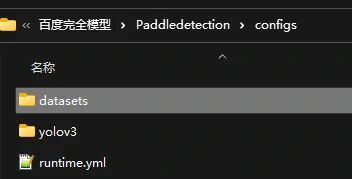
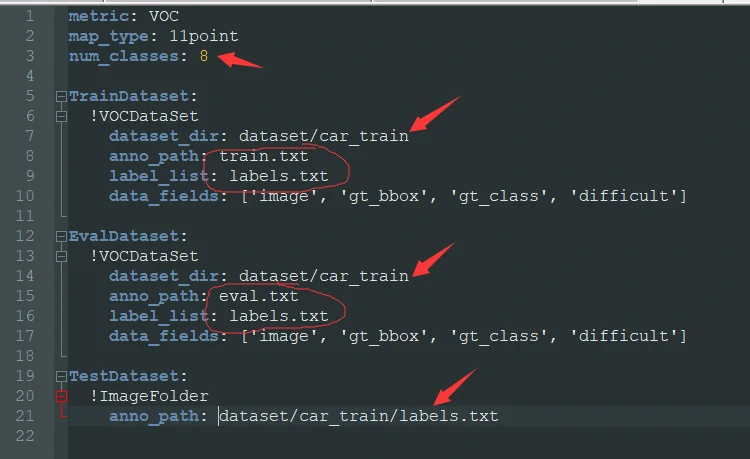
After that, modify voc.yml in the datasets directory located alongside the YOLOv3 configs.
A few fields here matter especially:
dataset_dirmust point to your dataset path.num_classesmust match the number of labels exactly.anno_pathunderTrainDatasetis the file used during training.anno_pathunderEvalDatasetis the file used during evaluation.label_listpoints to the category label file.
Configuration example:
metric: VOC
map_type: 11point
num_classes: 8
TrainDataset:
  !VOCDataSet
    dataset_dir: dataset/car_train
    anno_path: train.txt
    label_list: labels.txt
    data_fields: ['image', 'gt_bbox', 'gt_class', 'difficult']
EvalDataset:
  !VOCDataSet
    dataset_dir: dataset/car_train
    anno_path: eval.txt
    label_list: labels.txt
    data_fields: ['image', 'gt_bbox', 'gt_class', 'difficult']
TestDataset:
  !ImageFolder
    anno_path: dataset/car_train/labels.txt
Starting training
Once the following pieces are ready:
- PaddleDetection has been downloaded
- the dataset is prepared, including image files, annotation XML files,
train.txt,eval.txt, andlabels.txt - the training config has been adjusted
training can begin.
Train the model
python tools/train.py -c configs/yolov3/yolov3_mobilenet_v3_small_270e_voc.yml --use_vdl=True --eval
Resume interrupted training
python tools/train.py -c configs/yolov3/yolov3_mobilenet_v3_small_270e_voc.yml -r output/yolov3_mobilenet_v3_small_270e_voc/100
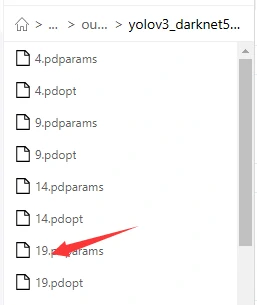
The 100 here should be replaced with the checkpoint where training stopped. For example, if the previous run was interrupted at epoch 19, then use 19 instead.
That checkpoint is located under the weight output directory defined earlier in yolov3_mobilenet_v3_small_270e_voc.yml.
Evaluate the model
python tools/eval.py -c configs/yolov3/yolov3_mobilenet_v3_small_270e_voc.yml -o weights=output/yolov3_mobilenet_v3_small_270e_voc/best_model
Export the model
python tools/export_model.py -c configs/yolov3/yolov3_mobilenet_v3_small_270e_voc.yml --output_dir=./inference_model -o weights=output/yolov3_mobilenet_v3_small_270e_voc/best_model
Run inference
python deploy/python/infer.py --model_dir=./inference_model/yolov3_mobilenet_v3_small_270e_voc --image_file=./street.jpg --device=GPU --threshold=0.2
File formats and helper script
train.txt format
The first column is the image path, and the second column is the corresponding XML annotation path.
JPEGImages/4457.jpg Annotations/4457.xml
JPEGImages/212.jpg Annotations/212.xml
JPEGImages/642.jpg Annotations/642.xml
eval.txt format
Same format as train.txt.
labels.txt format
bump
cone
bridge
granary
CrossWalk
tractor
corn
pig
randlist.py
```import os import random import xml.dom.minidom lst = ['bump', 'cone', 'bridge', 'granary', 'CrossWalk', 'tractor', 'corn', 'pig'] def ReadFileDatas(): FileNamelist = [] file = open('train.txt','r+') for line in file: line = line.strip('\n') FileNamelist.append(line) #print('len ( FileNamelist ) = ' ,len(FileNamelist)) file.close() return FileNamelist
def WriteDatasToFile(listInfo): file_handle_train = open('train.txt',mode='w') file_handle_eval = open("eval.txt",mode='w') i = 0 for idx in range(len(listInfo)): str = listInfo[idx] ndex = str.rfind('_') str_Result = str + '\n' if(i%6 != 0): file_handle_train.write(str_Result) else: file_handle_eval.write(str_Result) i += 1 file_handle_train.close() file_handle_eval.close() path = './Annotations/' res = os.listdir(path) def WriteDataToFile(DataList): file_handle_train = open('train.txt',mode='w') file_handle_eval = open("eval.txt",mode='w') i = 0 for idx in range(len(DataList)): str = DataList[idx] if(i%6 != 0): file_handle_train.write(str+'\n') else: file_handle_eval.write(str+'\n') i += 1 file_handle_train.close() file_handle_eval.close() dataList = [] for i in res: #print("./Images/"+ str(i[0:-4:1]) + ".jpg "+ path + str(i)) dataList.append("./JPEGImages/"+ str(i[0:-4:1]) + ".jpg "+ path + str(i)) WriteDataToFile(DataList=dataList) listFileInfo = ReadFileDatas() random.shuffle(listFileInfo)# 打乱 WriteDatasToFile(listFileInfo)```
This script builds train.txt and eval.txt from the files in Annotations, then shuffles the entries and splits them so that every sixth item goes into evaluation while the rest go into training.